
Release notes: April 2026
Ad Server
Kevel MCP server
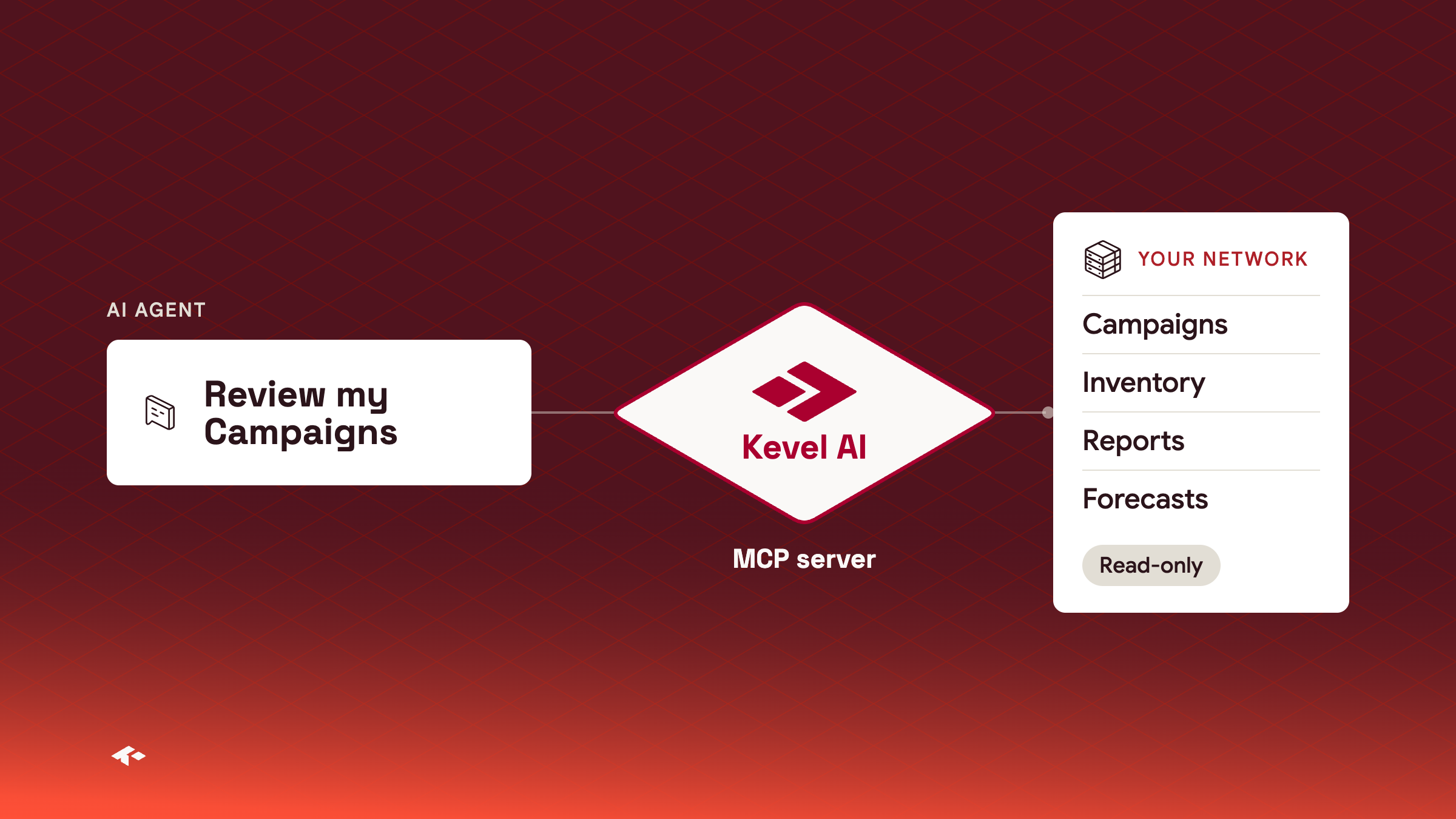
The Kevel MCP server is now available as an alpha. Media owner teams can connect an AI agent such as Claude, ChatGPT or Cursor to their Kevel network and ask it about Campaigns, inventory, reports and forecasts. The agent can review campaign setup and targeting, look up inventory, run and read reports, and check forecasts. The alpha is read-only, so the agent cannot change anything in your network. Add any MCP-compatible client at https://mcp.kevel.com/ and sign in with a Kevel API key. Kevel recommends a separate key for MCP, so you can audit activity per person.
{
  "mcpServers": {
    "kevel": {
      "url": "https://mcp.kevel.com/"
    }
  }
}
Good for quick questions about your networkAsk the agent which Flights end this week or how a Campaign is targeted, instead of building a report.
Turned on per networkAccess is limited to networks Kevel has enabled.
Learn more about the Kevel MCP server
Auto seasonality
Auto seasonality now builds a seasonal pattern for each site with enough history, as well as for your network as a whole. Auto seasonality is off until you turn it on in its settings. Check the seasonality preview before you do, because a change takes effect the next day (UTC).
PUT https://api.kevel.co/v1/forecaster/auto-seasonality/settings

{
  "enabled": true,
  "correlateImportedCounts": false
}
Learn more about auto seasonality
Console
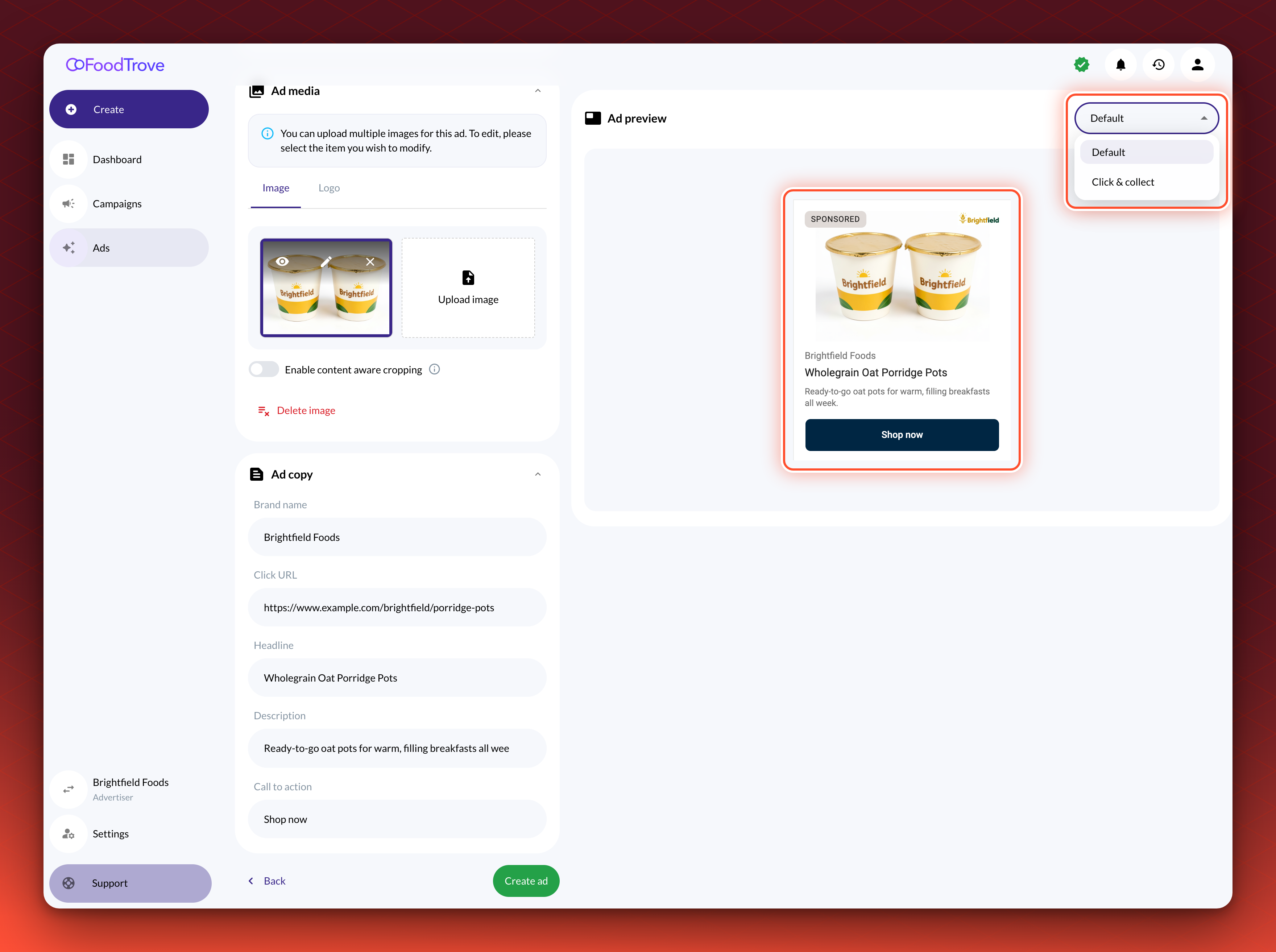
Realistic ad previews
Advertisers building onsite display and native product ads in Console now see a preview of the ad as they build it. The preview sits beside the form and updates as they fill it in, with a menu to switch between versions when a template has more than one. Your Kevel account team can turn previews off for an agency or an ad template.
Audience
File detection imports
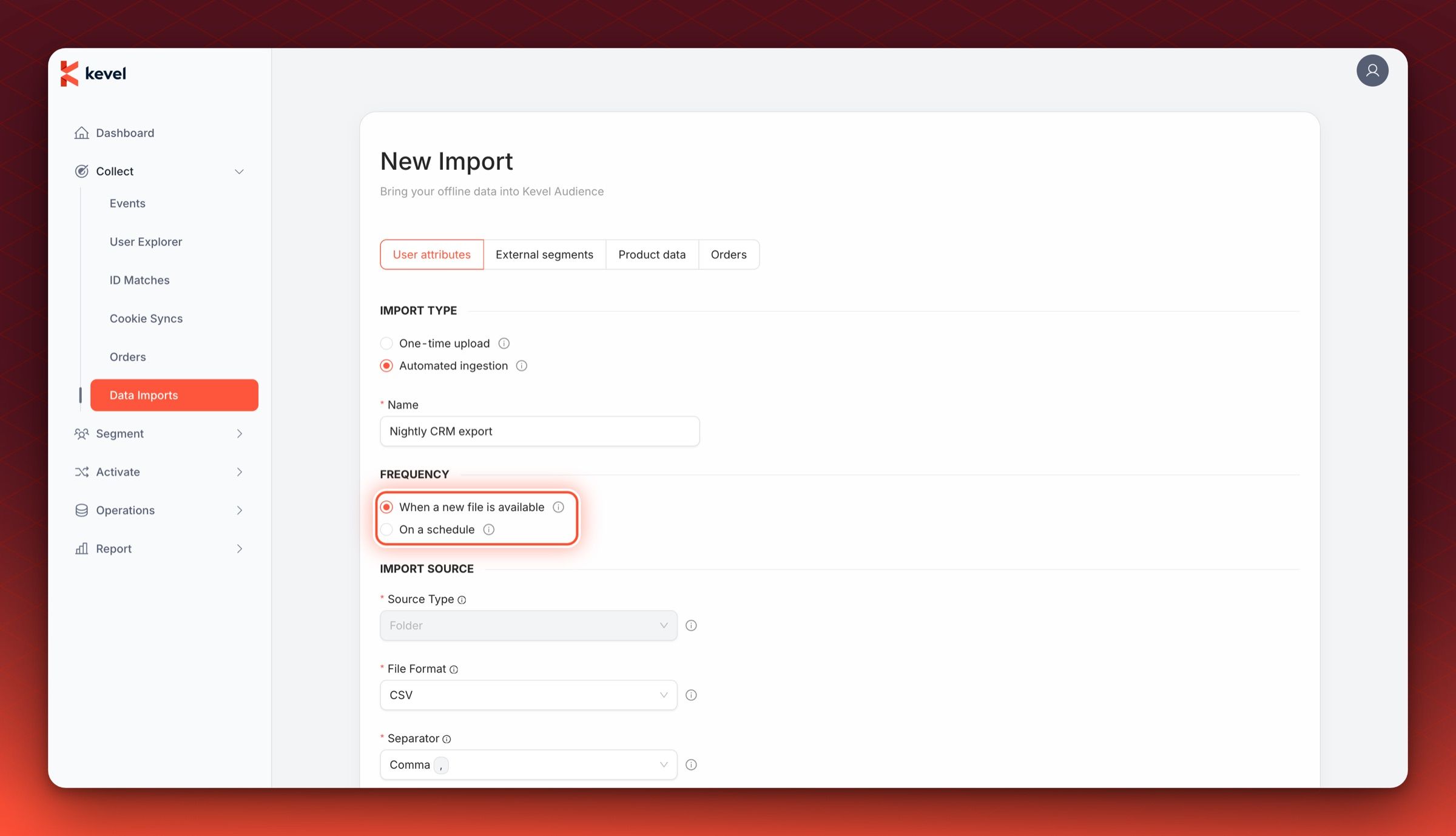
When users upload files to their own S3 bucket or SFTP server, imports no longer need to wait for the next scheduled run. Audience can now detect when a new file is available and trigger the import immediately, reducing the delay between a file being uploaded and its data being available in the system.
To set it up, create a new import, select the import type "Automated ingestion" and set the frequency to "When a new file is available".
Learn more about file detection imports
Multiple products
Match a Console Campaign to its Ad Server Campaign
The Management API now returns three fields on a Campaign that Console created: ConsoleCampaignId, CampaignTypeId and CampaignTypePlacementId. ConsoleCampaignId is the Campaign's ID in Console. It differs from the ad server Id, so use it to match the two. The other two name the campaign type and placement the Campaign was booked on. A Campaign trafficked directly in the ad server has none, so the fields also tell Console Campaigns from the rest. Console sets them, and you cannot change one once it is set. There is nothing to turn on.
{
  "Id": 123456,
  "Name": "Spring Sale",
  "ConsoleCampaignId": 7001,
  "CampaignTypeId": 3,
  "CampaignTypePlacementId": 12,
  ...
}
Good for reconciling Console bookings with reportingJoin ad server reports to Console Campaigns on ConsoleCampaignId.