Release notes: May 2026
Ad Server
Kevel MCP server can now change your network
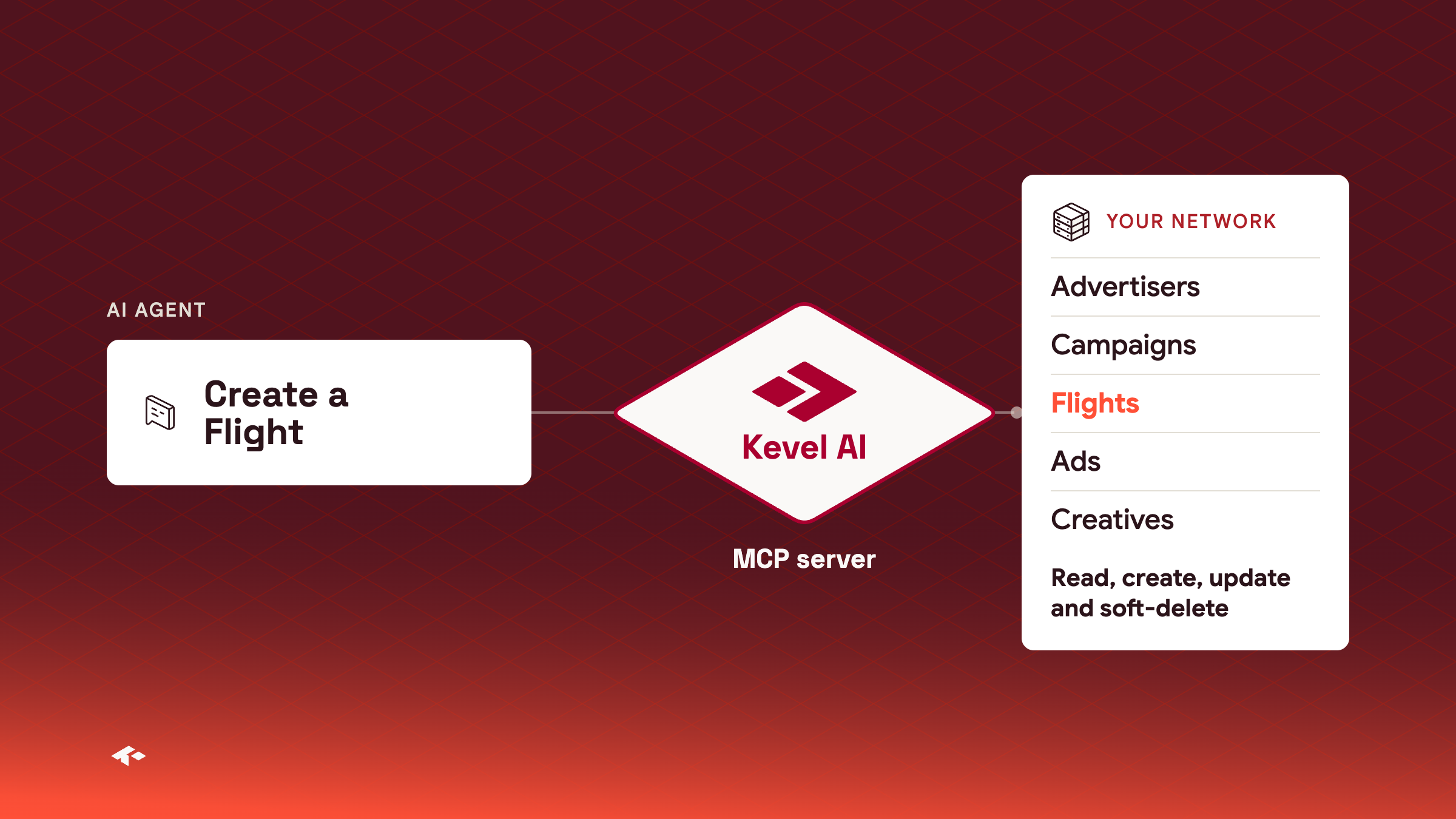
The Kevel MCP server is no longer read-only. An agent you connect, such as Claude, ChatGPT or Cursor, can now create and update Advertisers, Campaigns, Flights, Ads and Creatives as well as read them, and can soft-delete them by setting IsDeleted. Kevel recommends a separate API key for MCP, so you can audit what each person's agent changes.
Write access is on by defaultAny network can connect with a Kevel API key. If you want the server to stay read-only for your network, ask Kevel to switch it.
Learn more about the Kevel MCP server
Wallets in the Management API
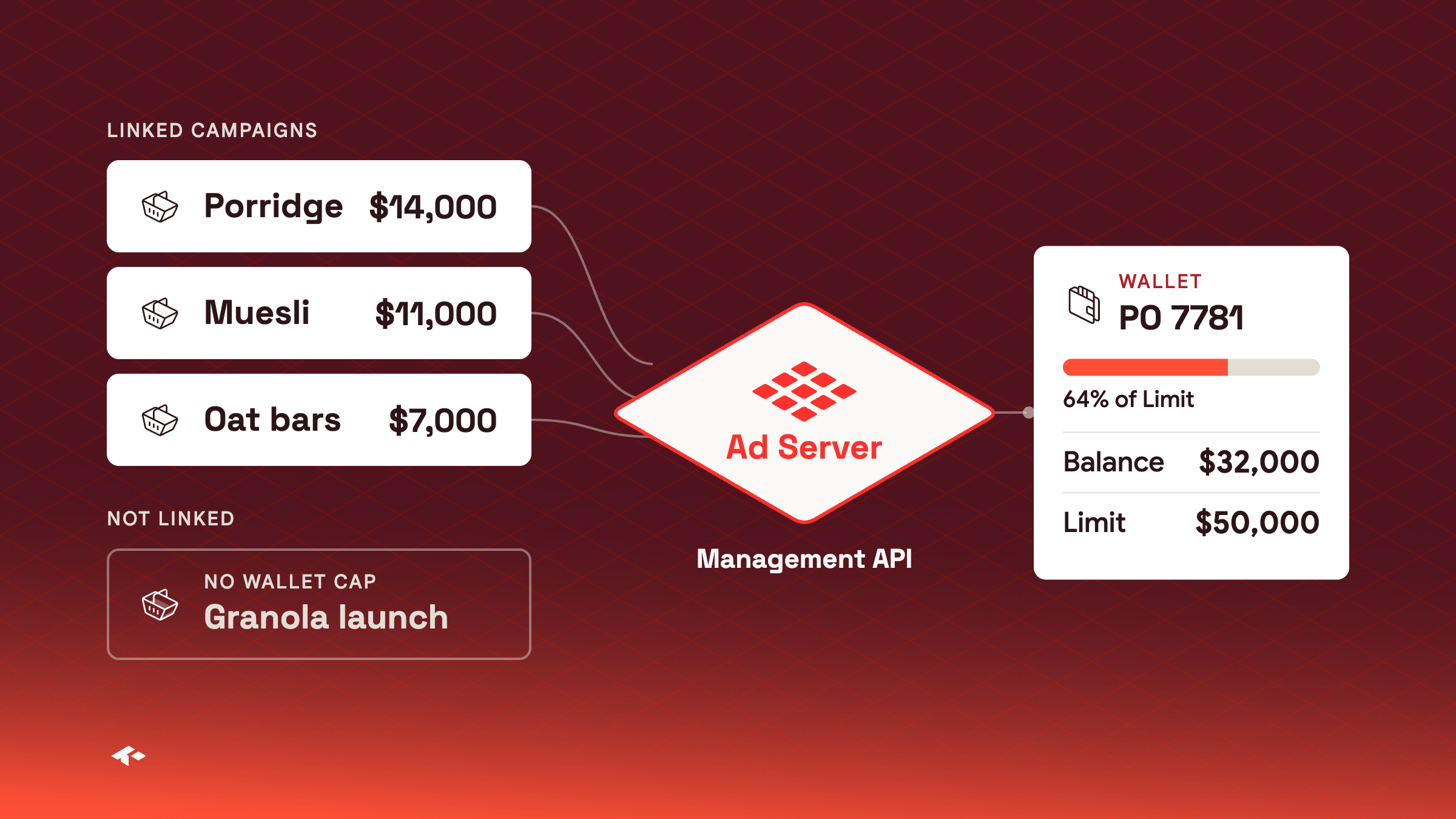
Good for purchase-order budgetsGive each purchase order its own wallet and link the Campaigns it funds, so spend stops at the PO amount.
Not on every network yetAsk your Kevel representative to turn wallets on.
A wallet is a shared budget for one Advertiser. Link Campaigns to it, and delivery adds their spend to the wallet's Balance. When the Balance reaches the Limit, the linked Campaigns stop serving. An Advertiser can have several wallets, for example one per purchase order. A Campaign with no wallet has no wallet cap, and its other caps still apply.
Media owner teams and their developers manage wallets in the Management API. They are not yet in the Kevel Ad Server UI. The wallet currency must be the one your network uses for wallets, which Kevel sets up first.
POST https://api.kevel.co/v1/wallet
X-Kevel-ApiKey: <your API key>{"Name": "Acme Q4 2026, PO 7781", "Currency": "USD", "Limit": 50000}Learn more about wallets and the Wallets API
Group Forecast results by search term
You can now break Forecast results down by search term. Add $searchTerm to the GroupBy of a forecast request to group by the search term in the ad request, trimmed and lowercased, or $matchedSearchTerm to group by the targeted term that matched the shopper's query. Each group in the grouped response carries the term as its key.
"Params": { "GroupBy": ["$searchTerm"] }
"key": { "$searchTerm": "perfume" }
Learn more about group-by fields
Search Term Targeting
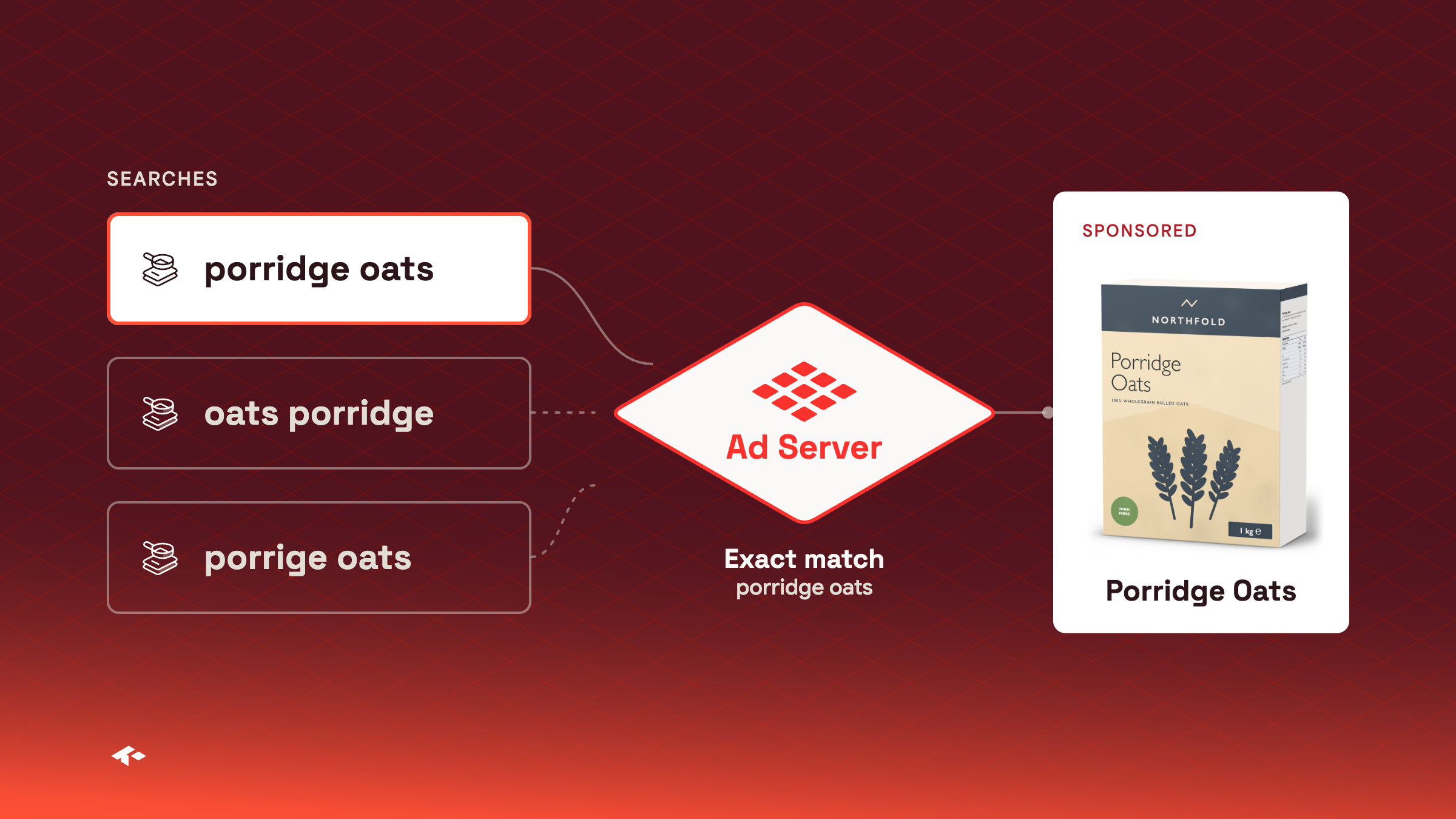
Search Term Targeting now has a third match type, Exact. If you have search-result inventory, you target Flights and Ads to the queries shoppers type. Add each term as an include or an exclude, with a match type. Broad allows typos, plurals and a different word order. Strict needs the same words in the same order and still allows typos. Exact matches only a query identical to the term.
Set terms in the Flight editor, the Ad editor or the Management API, and pass the query in the searchTerm parameter of ad decision requests. Forecasts take search term rules into account, so you can estimate availability for Flights and Ads that target search terms.
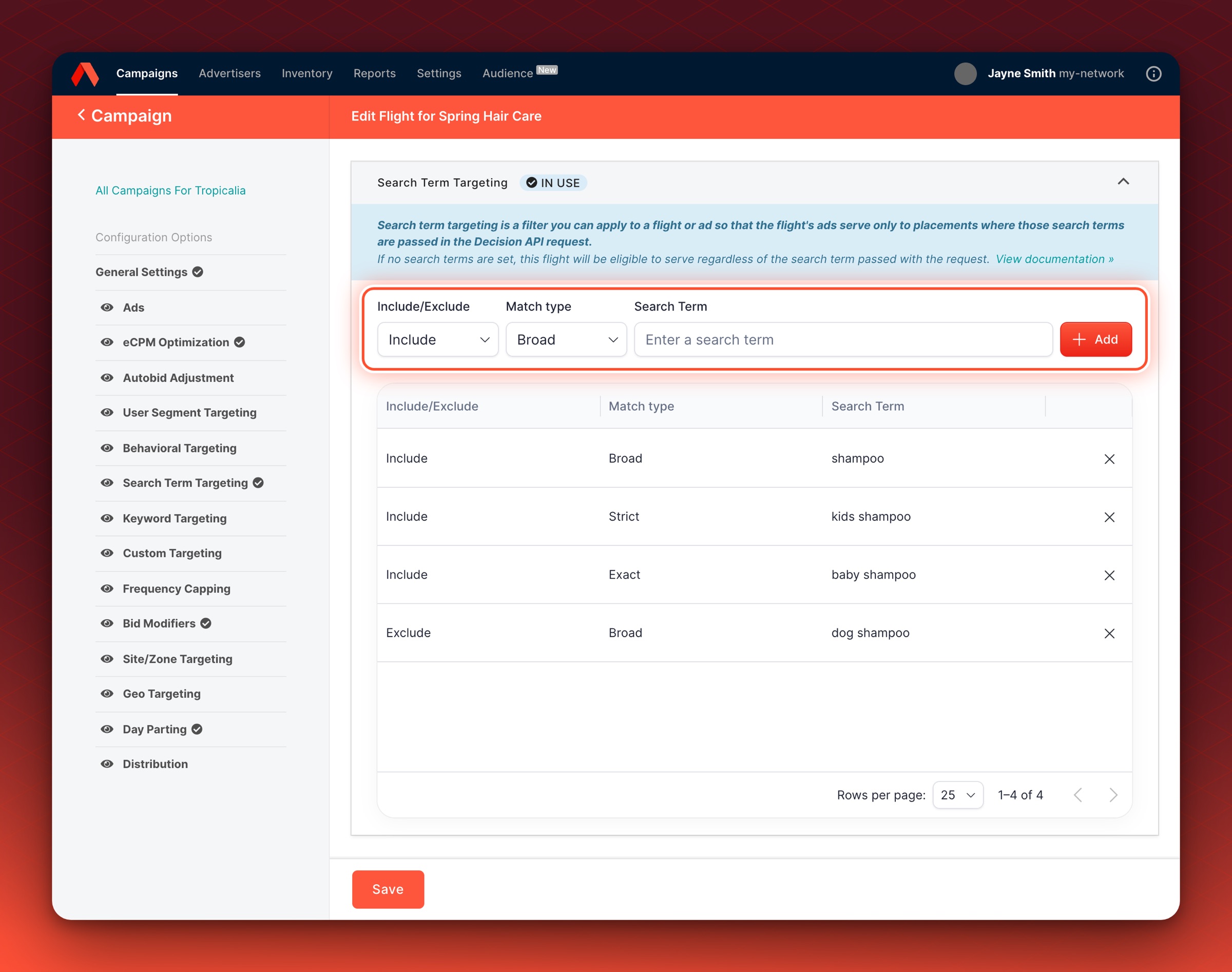
Good for brand termsExact keeps an Ad on "porridge oats" and off "porridge oats recipe".
Turned on per networkIf you do not see Search Term Targeting, ask your Kevel account team to turn it on.
Learn more about Search Term Targeting
Static user segments in Forecast
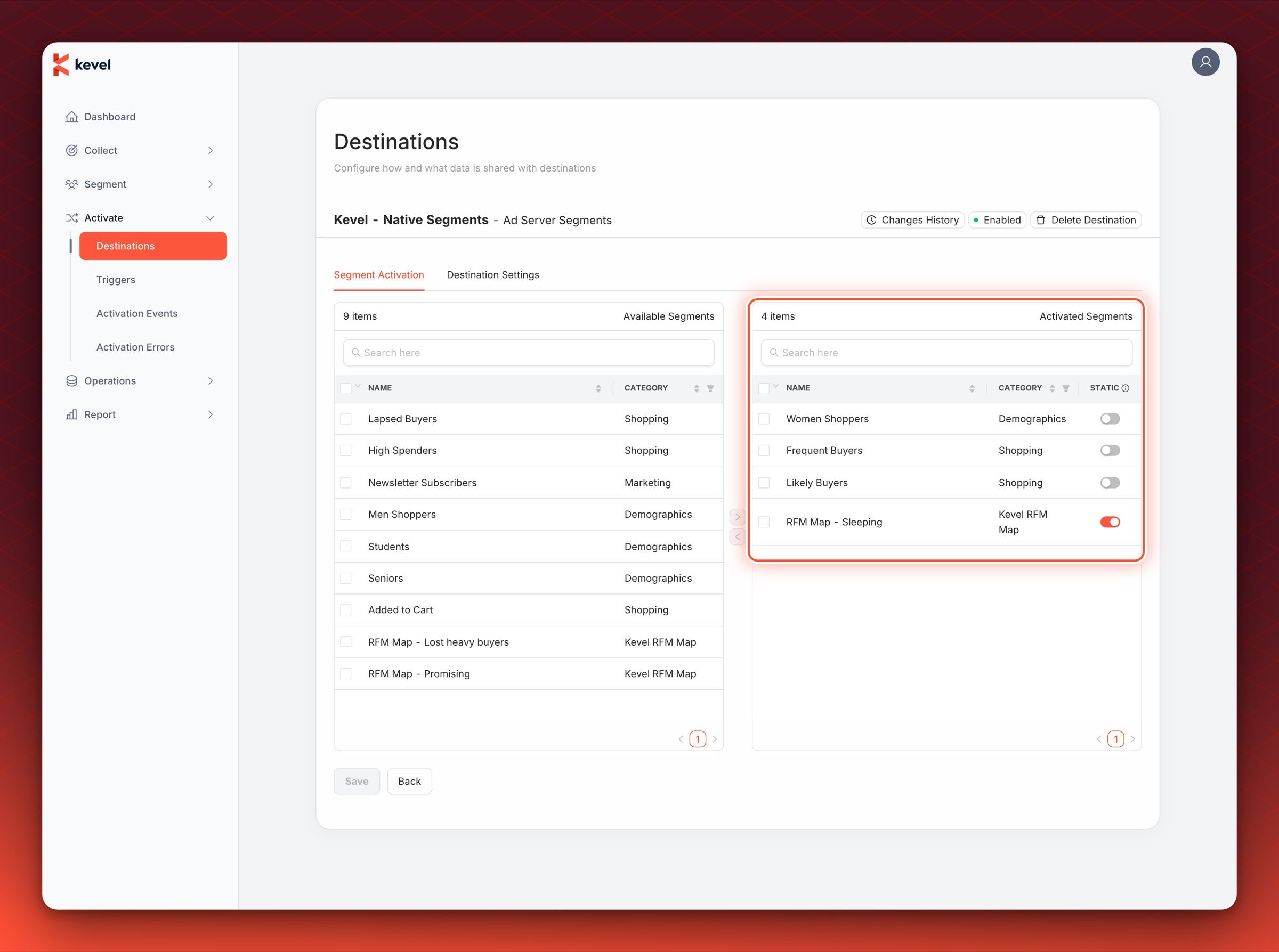
Static audiences in Forecast now take user segments as well as custom properties. If you forecast against user segments, you can send their membership straight to Forecast and get targeted forecasts within a few hours, instead of waiting for at least seven days of ad request data. Upload a JSON Lines file to the static user segments ingest URL, with one user on each line. If you load segments with Kevel Audience, mark the segment as static when you activate it in the Kevel Native Segments destination.
{ "userKey": "ue1-e397eb5990", "segments": [154, 201] }
Good for forecasting a new audienceForecast a segment within hours of loading it, not a week later.
Existing membership staysImported segments add to the membership Forecast already sees, so a user who was historically in a static segment still counts as a member.
Learn more about static audiences
Console
Product selector for large catalogs
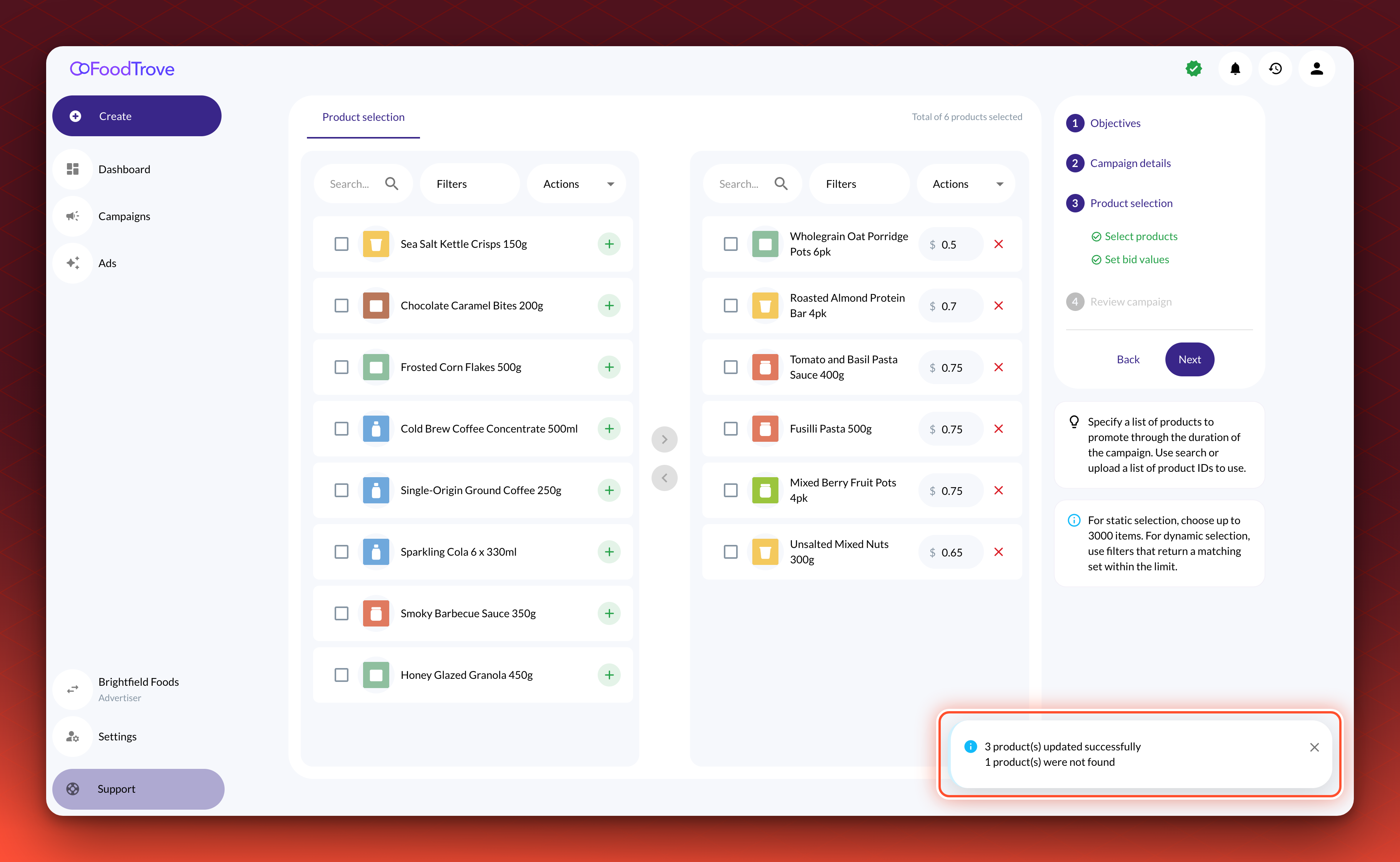
Advertisers building or editing a Campaign in Console can now work through long product lists in the product selector. The list draws only the products on screen, so it stays responsive when a catalog is large. After a bulk action by product ID, such as Bulk edit bid by product ID, a message reports how many products were added, removed or updated, and how many were already added or not found. Your Kevel account team can also attach a hidden filter to a Campaign template, so the selector offers only matching products.
Adform domain templates
Adform templates in Console now keep their domain allow and block templates when you create a Campaign from them. Before, a Campaign created from a template that used them targeted all websites. You set them in the Adform template, and Kevel syncs the template into Console.
Audience
Native Static Segments
Static segments are now out of beta, and can also be used in the Kevel Native Segments destination. Marking a segment as static means it will be sent directly to Forecast and immediately made available for predictions upon activation to UserDB.