
Forecast availability widget
Forecast for availability at the click of a button in the Flights booking page
Campaign forecast for Availability
Kevel Forecast is available within the Kevel Campaign booking process, in the Flights booking page. For Forecast-enabled customers, a "Forecast" button is visible next to the "Save" button:

Once Forecast is clicked, a side widget shows up and provides the following information for Impressions, Clicks, Percentage (of traffic), and Reach (Unique Users):
- Goal: The number set as the Goal for the flight.
- Available: Number of times an ad for this flight is predicted to be selected for ad opportunities that would otherwise deliver to ads in a lower priority, considering all its settings except its goals, including targeting and caps (daily and frequency).
- Unavailable due to caps: Opportunities that could deliver but are restricted by flight capping, user frequency capping, or both. All deliveries restricted by the following settings will be added to this metric:
- Flight Distribution Rules (DuplicateModes/NoDuplicate)
- Advertiser placement limits
- Ad Caps
- Frequency Caps
- Competing: Booked ads serving at the same or higher priority.
- Matched: Total inventory that matches the targeting rules, ignoring all of this flight's caps (daily and frequency) and goals.
The Forecast availability widget builds available forecast requests with NewAds, so these values follow the NewAds interpretation for available forecasts.
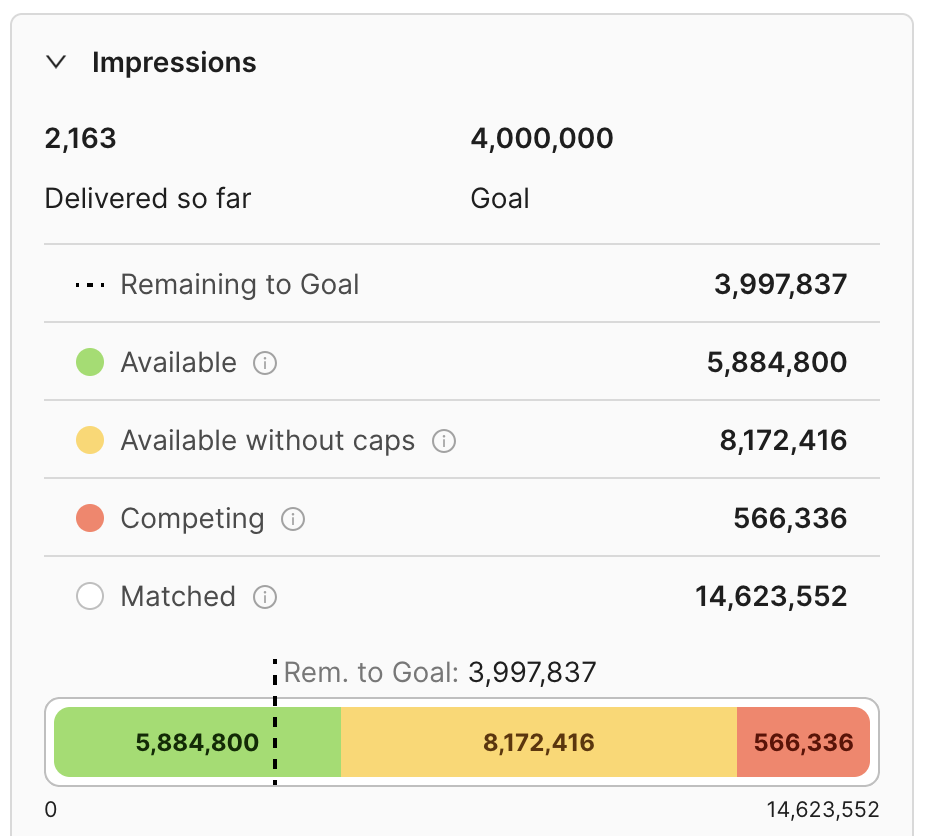
Availability Forecast UI Widget results
In the example above, just under 6M impressions are free at the flight's priority level, to serve for it. An additional 8.1M could also serve if all daily and user frequency caps were removed. 566k are predicted to serve to campaigns at the same and higher priorities and in total 14.6M match the flight's targeting rules (14.6M = 5.88M+8.17M+0.56M).
For click or percentage goals, the widget will first show those dimensions instead:
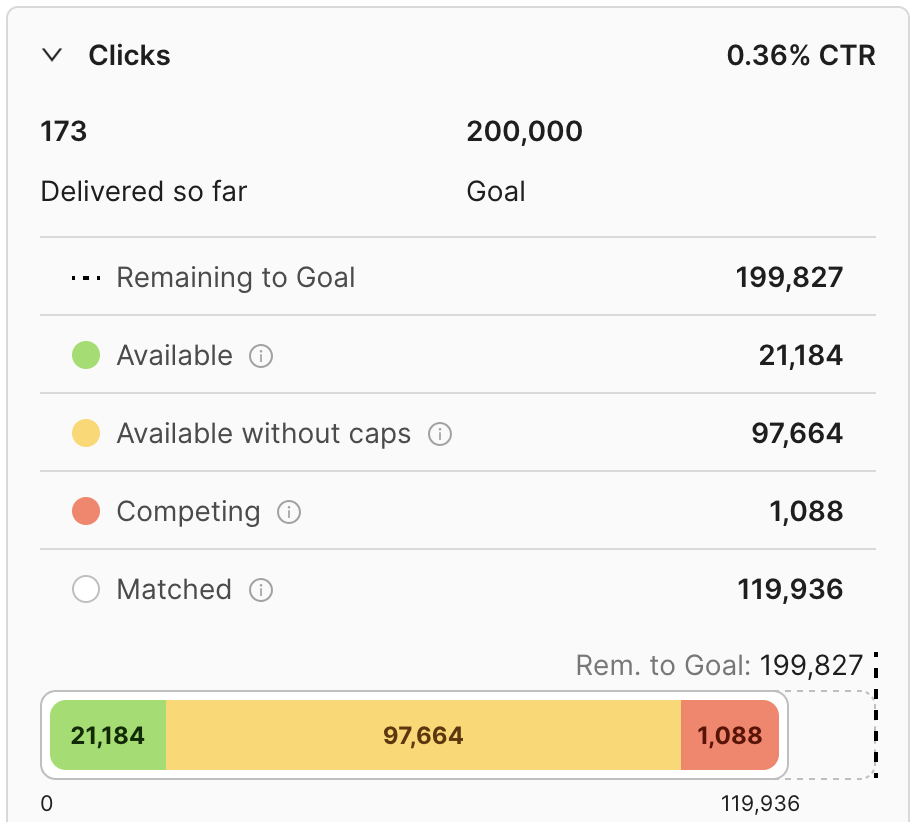
Availability Forecast UI Widget showing forecasted Clicks
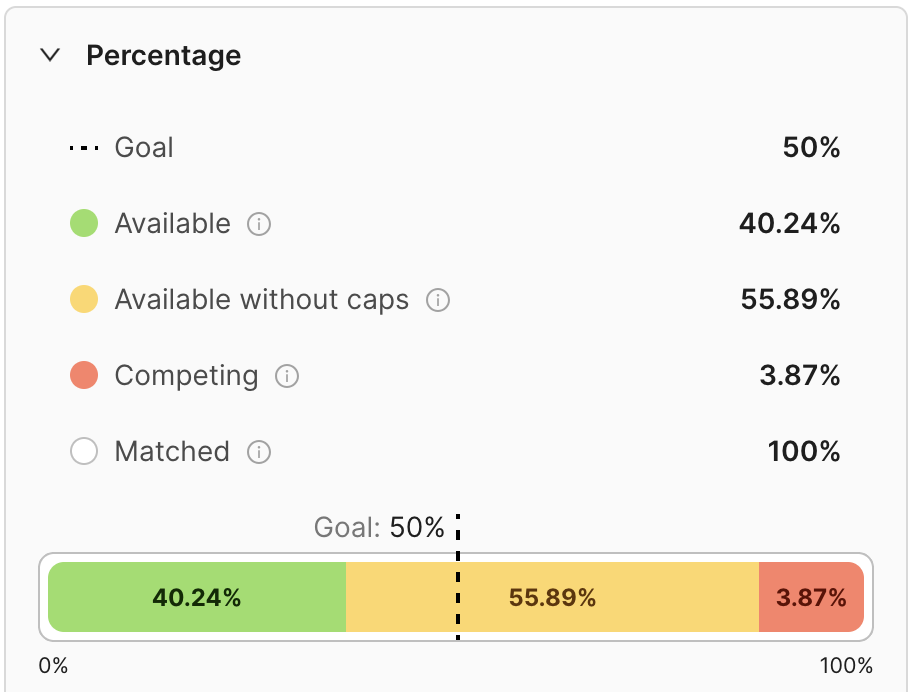
Availability Forecast UI Widget showing forecasted Percentages
All types of campaigns will show all dimensions, the goal type determines which one is expanded by default:
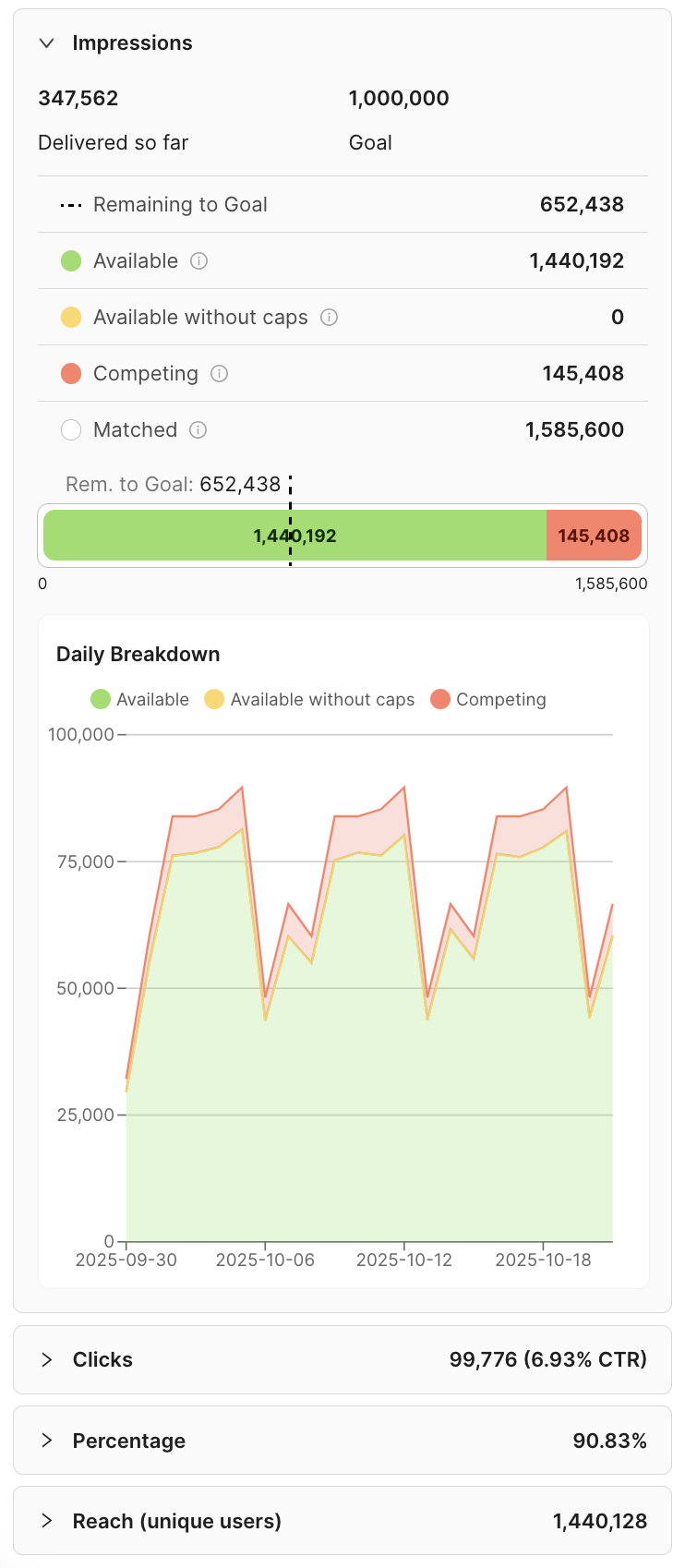
Complete Availability Forecast UI Widget showing all forecasted dimensions
You can make flight targeting changes and re-forecast at any time, without having to save the changes. A Forecast request in this context typically takes just a few seconds to run.
Competing campaigns and flights
When other campaigns compete for the same inventory, the Competing row of each metric card can be expanded to show which campaigns and flights they are. The breakdown is collapsed by default: select the caret on the Competing row to open it.
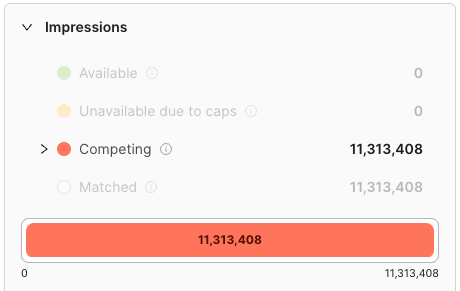
Competing row of the Forecast availability widget, collapsed, showing the expand caret
Expanding the row lists the top 5 competing campaigns. When more campaigns are competing, use the Show all N toggle to reveal the remaining ones inline, and Show fewer to collapse back to the top 5.
Each competing campaign can be expanded in turn to show the individual flights competing within it. Flight rows link out to the flight's own page, so you can jump straight to reviewing or editing a competing flight. Clicking a flight closes the widget and takes you to that flight.
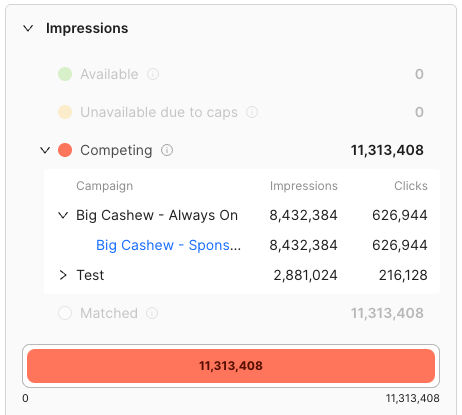
Expanded Competing breakdown listing competing campaigns, with one campaign expanded to show its flights
Campaigns, and the flights within each campaign, are sorted highest first, so the largest source of competition is at the top. The Clicks card sorts by clicks, the Reach (unique users) card by unique users, and the Impressions, Conversions and Percentage cards by impressions.
The metrics shown alongside each campaign and flight depend on the card you expand:
| Card | Metrics shown per campaign and flight |
|---|---|
| Impressions, Clicks or Conversions | Impressions and Clicks |
| Reach (unique users) | Unique Users |
| Percentage | Impressions and % |
On the Percentage card, the percentage shown for each campaign and flight is its share of the card's overall total (the Matched row), not its share of the competing traffic alone. It is shown to one decimal place. The campaign percentages therefore add up to the value on the Competing row itself, allowing for rounding, rather than to 100%.
Daily breakdown
The Flight availability now also provides a forecast by day, allowing you to see how availability trends during the flight duration:
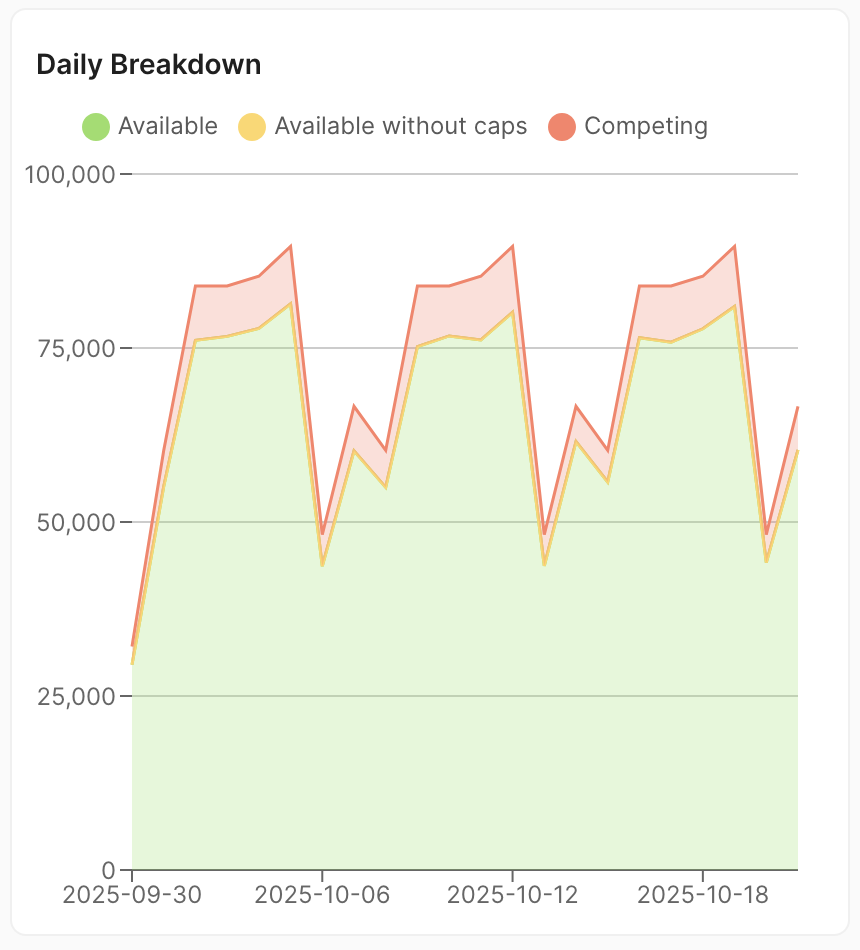
Daily breakdown component of the Forecast UI Widget
Updated 2 days ago