
Switch Networks
Switch between the networks you have access to without signing out.
If your user has access to more than one network, you can switch between them without signing out and back in. Users with a single network do not see the option.
- Click your user name in the upper right and select Switch Network.
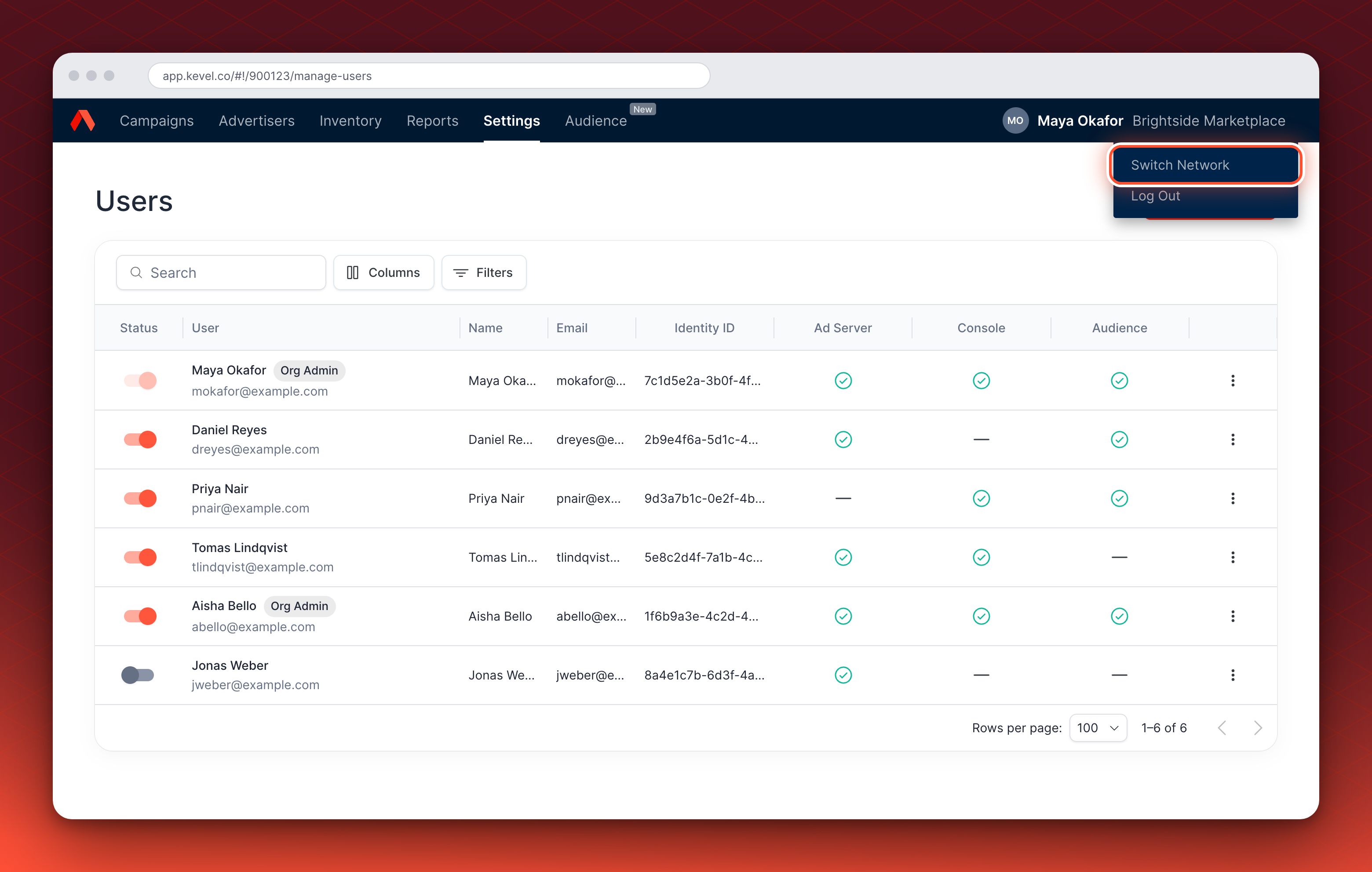
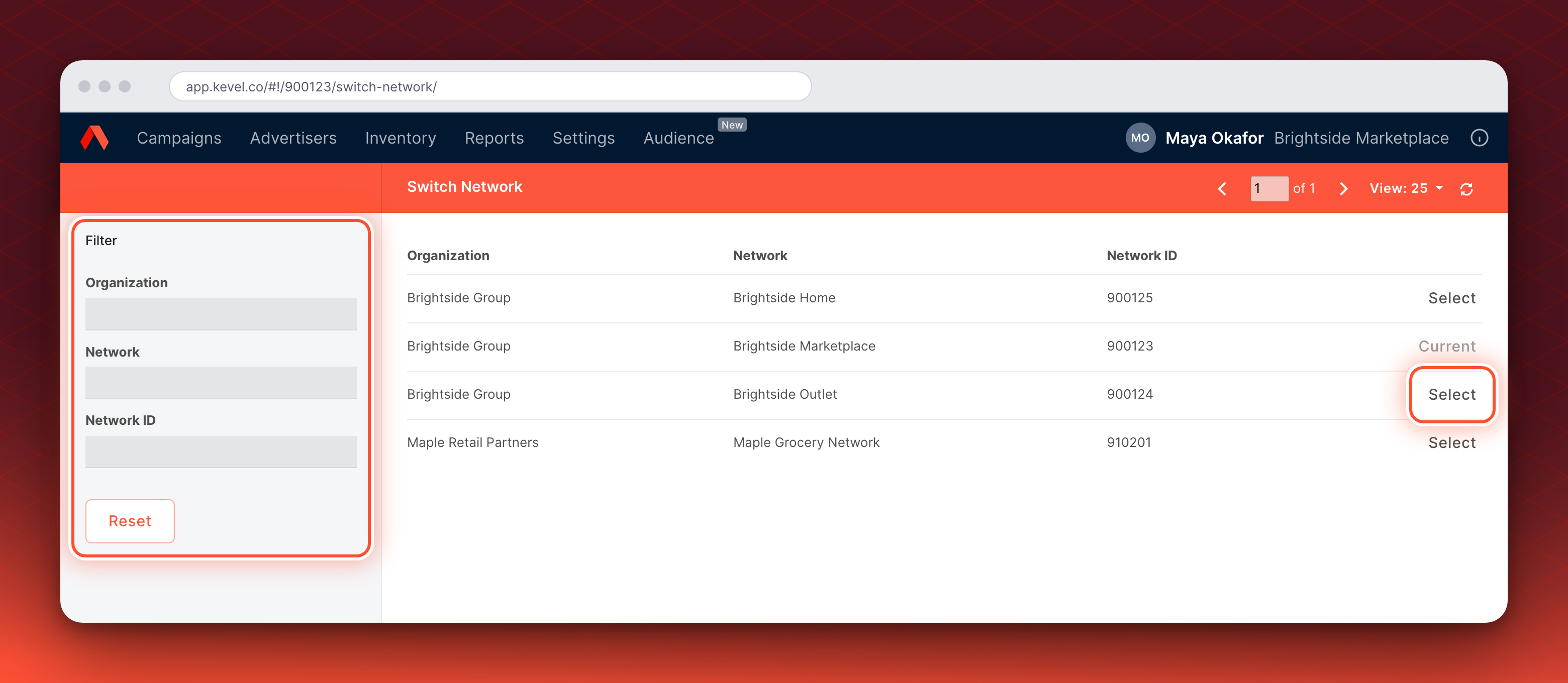
- Select the network you want to use. Click Select on its row to switch to that network. The row for your current network shows Current.
The list shows the networks you have Ad Server access to, with their organizations and network IDs. Networks where you only have Console or Audience access are not listed.
Use the Filter panel on the left to narrow the list by Organization, Network, or Network ID. Each filter matches part of the value. Click Reset to clear the filters.
Updated 10 days ago