
Introduction to Kevel Console
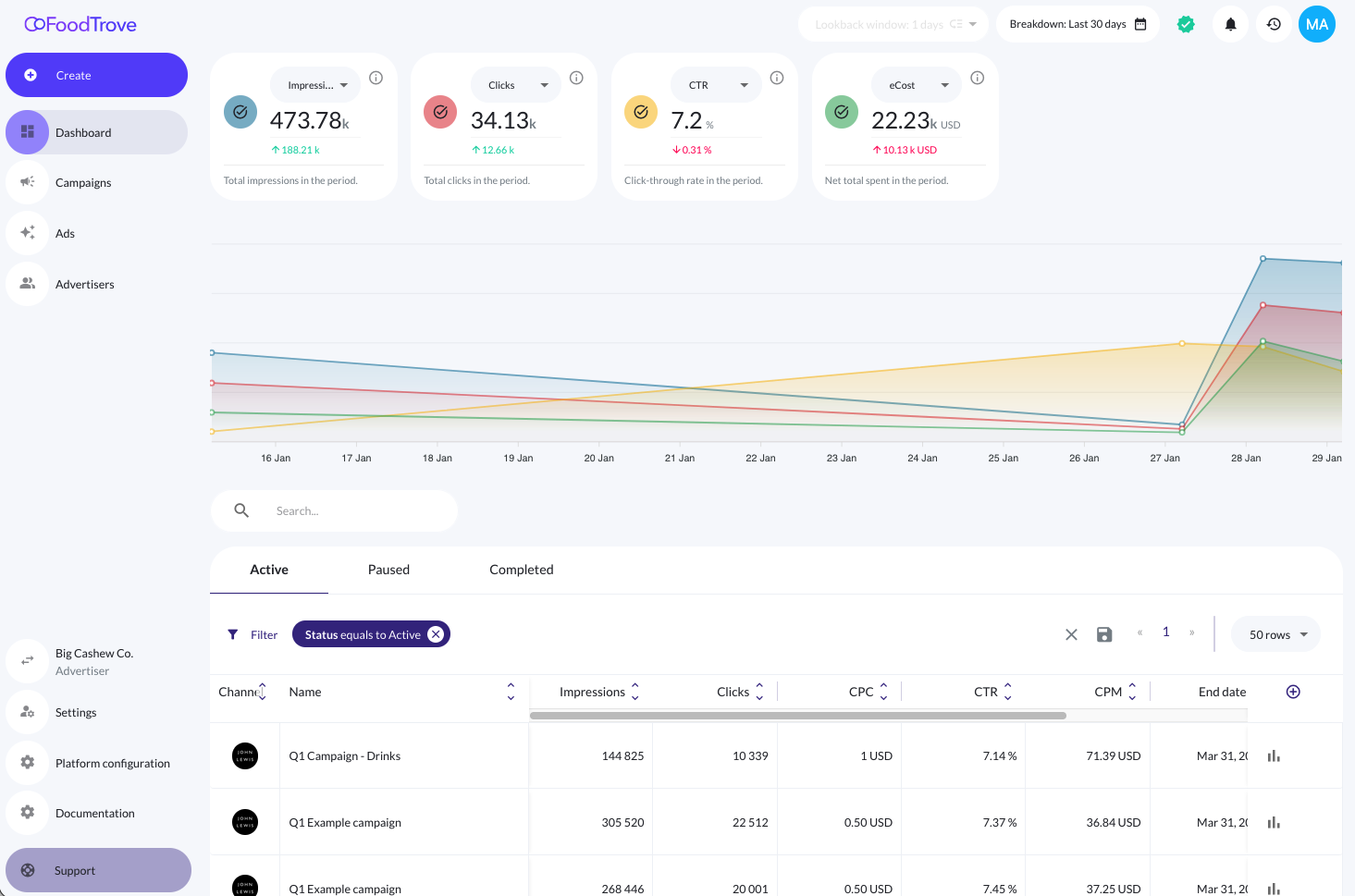
Kevel Console is Kevel’s omnichannel advertiser self-serve UI.
With Console, media owners can equip advertisers with hands-on campaign management and reporting tools for both onsite and offsite campaigns.
Console gives advertisers a single place to:
- Create and manage campaigns across channels
- Monitor performance through consistent reporting workflows
- Iterate quickly without relying on a managed-service model
Why advertiser self-serve?
Advertiser self-serve unlocks meaningful scale for media owners by allowing advertisers to manage their own campaign setup and measurement.
This is valuable across many media business models, but it is especially powerful for retail media and commerce media networks, where:
- Media owners need to support a large number of advertisers with varying levels of sophistication
- Advertisers want to iterate and optimize faster than a media owner's ad operations team is able to support at scale
- Onsite and offsite spend increasingly need to work together
- Reporting consistency is essential for advertiser trust and retention
Console is highly customizable to your use case
Like the Kevel Ad Server, Console is fundamentally customizable.
Media owners can tailor their Console Business Manager to their business model and advertiser experience, including:
- Custom branding - Customize your Console Business Manager's colors, logos, connected channels and campaign type appearance, URL, and login page.
- Channel connections - Control which channels are available to which advertisers, and which campaign types for each channel.
- Campaign controls - As the media owner, you decide what types of campaigns advertisers can create.
- Performance metrics - You decide which performance metrics are shown per channel.
Reporting in Console
Console includes reporting for the self-service campaigns created through Console, enabling advertisers to have full lifecycle management for their campaigns, including:
- Create
- Read
- Update
- Delete
Media owners can also choose to restrict advertiser users to read-only access, allowing some users to view performance of self-service campaigns without making changes.
Reporting is configurable, including:
- Metrics per Console Business Manager
- Metrics per channel
- Control over which performance fields are visible to advertisers
This ensures advertisers get the insights they need, while media owners retain control over measurement, data visibility, and platform experience.
Introduction to Console entity model
As a media owner, you can operate one or many Console Business Managers.
For example, a retailer that operates an ad program for two separate store banners may choose to operate two separate Console Business Managers, each branded with that store's branding. Each Business Manager would support its own set of advertisers and campaigns within those advertisers.
A Business Manager in Console maps directly to a network in the Kevel Ad Server. (For media owners who use Console without the Kevel Ad Server, your Kevel network is simply a placeholder for user management and other media owner tools.)
Each Console Business Manager has its own:
- Branding and visual customization
- List of connected Advertisers
- Connected channels, such as Meta, Google, and Adform
- Configuration rules
Updated about 2 hours ago