
Custom branding in Console
Console is highly configurable and can be easily updated to support your own logos, colors, and brand identity.
Your Kevel account manager will partner with you to customize the look, feel, and core functionality of your Console Business Manager.
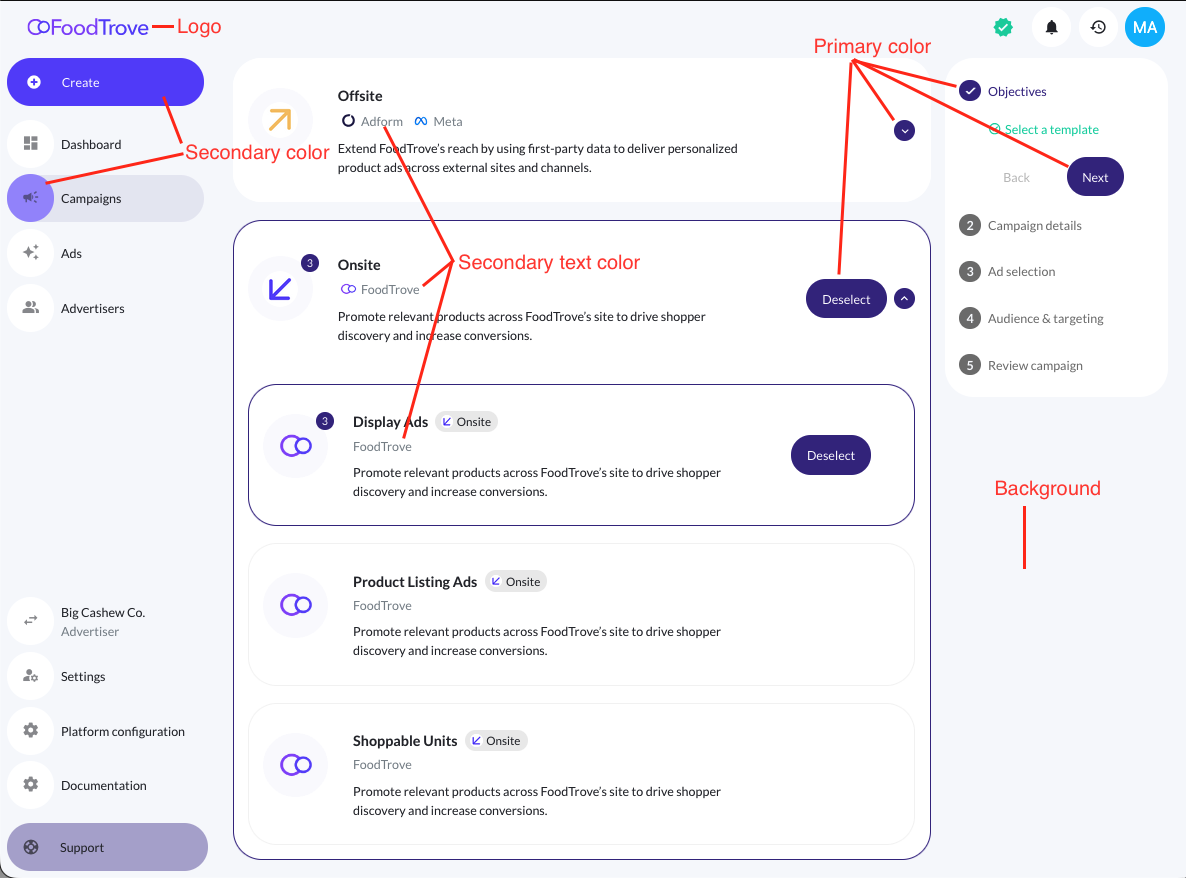
Colors
Select your color palette, including primary color, menu color, primary text color, secondary text color, and background.
Channel & campaign type appearance
As you choose which channels to expose to your advertisers, you can customize the groupings, icons, colors, names, and descriptions shown to the advertiser.
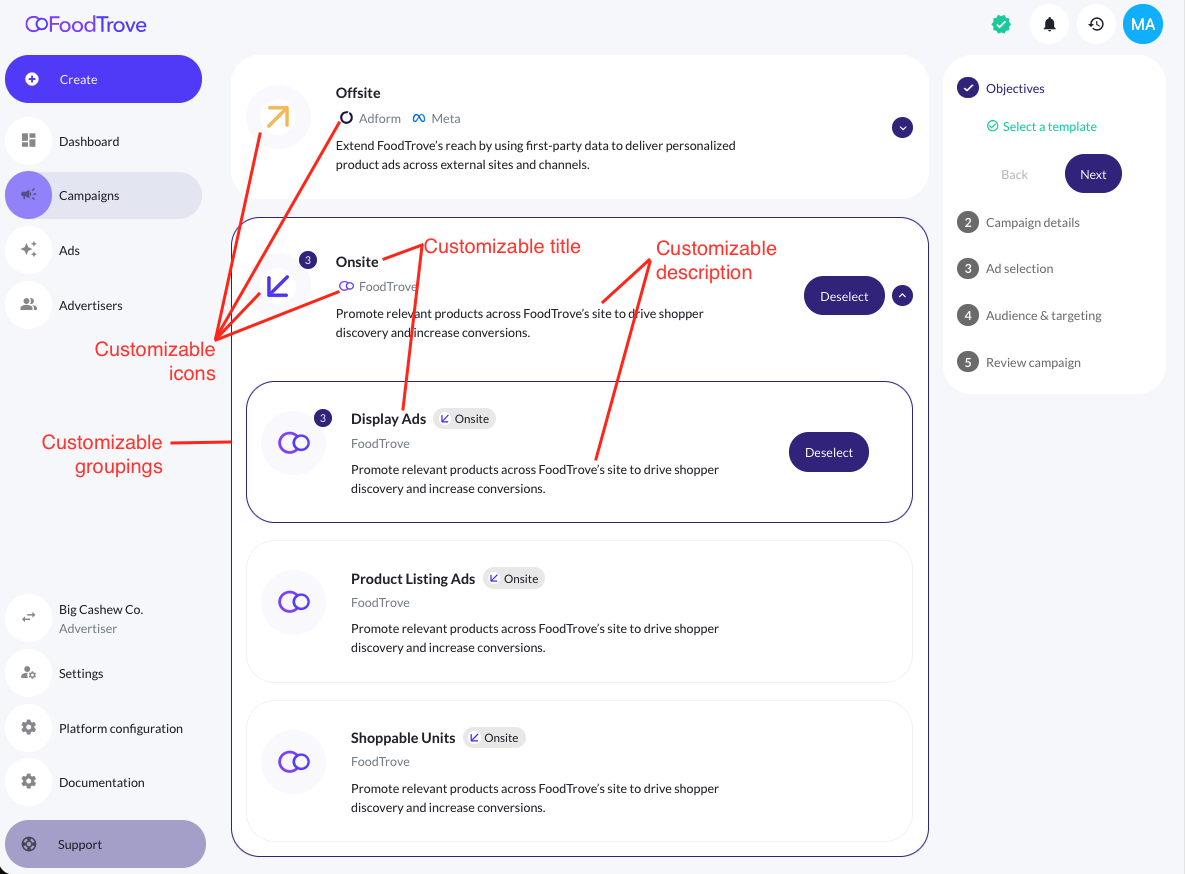
You can also customize the types of campaigns available, and can control channel and campaign type access by advertiser.
For example, a media owner may choose to make a subset of onsite campaign types available to all advertisers, while some advertisers may have special access to more high-value onsite inventory.
Custom navigation buttons
You may optionally add your own navigation shortcut for advertisers directly in the Console sidebar. These buttons can link to any internal or external destination, making it easy to surface tools, documentation, or support resources for advertisers and internal teams.
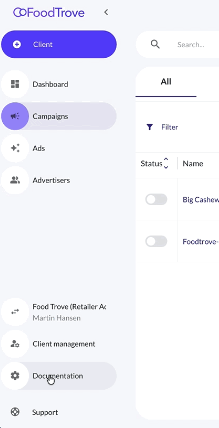
For example, a media owner could:
- Link to product documentation or campaign guides for advertisers
- Link out to custom dashboards or support systems for advertisers
- Connect to helpdesks, chat tools, or BI platforms for partners
When adding a new button, you’ll define three main fields:
| Field | Description | Example |
|---|---|---|
| Button Name | The short label that appears in the Console navigation. Keep it concise. | Documentation |
| Icon | Select an icon from Console’s built-in icon library. | settings_icon |
| Link | The URL that the button will open. This can be internal (within Console) or external (e.g., ReadMe, Intercom, or Looker). | https://dev.kevel.com/docs/creating-a-campaign/#/ |
Each button can be toggled to visible or hidden. When set as visible, it appears for all users in your Console Business Manager.
Custom URLs and login page
With Console, media owners can offer their advertisers a custom-labeled self-service login experience and a custom subdomain.
You'll be able to choose the URL of your choice as a subdomain of ads-console.com.
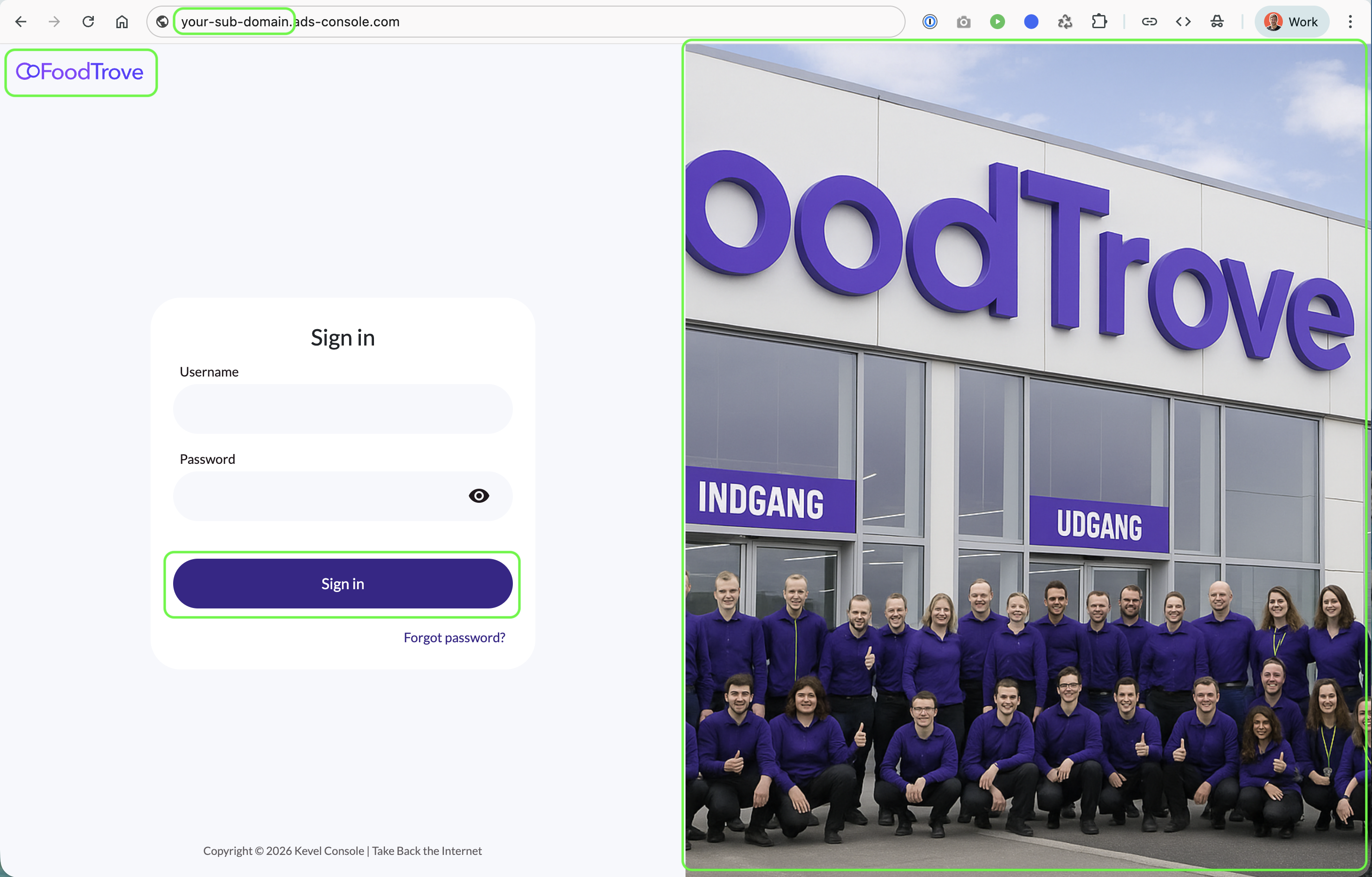
To get started, contact your Kevel account manager.
Updated 8 months ago