
Supported platforms in Console
Console connects your advertisers to the channels that matter most — onsite, offsite, and across the open web — all managed through a single campaign creation flow. This page covers the platforms Console integrates with natively: Meta, Google Ads, Google Ad Manager, and Adform. For each, it lists the ad formats and targeting options available, and it ends with how reporting works across channels.
Meta – Facebook & Instagram
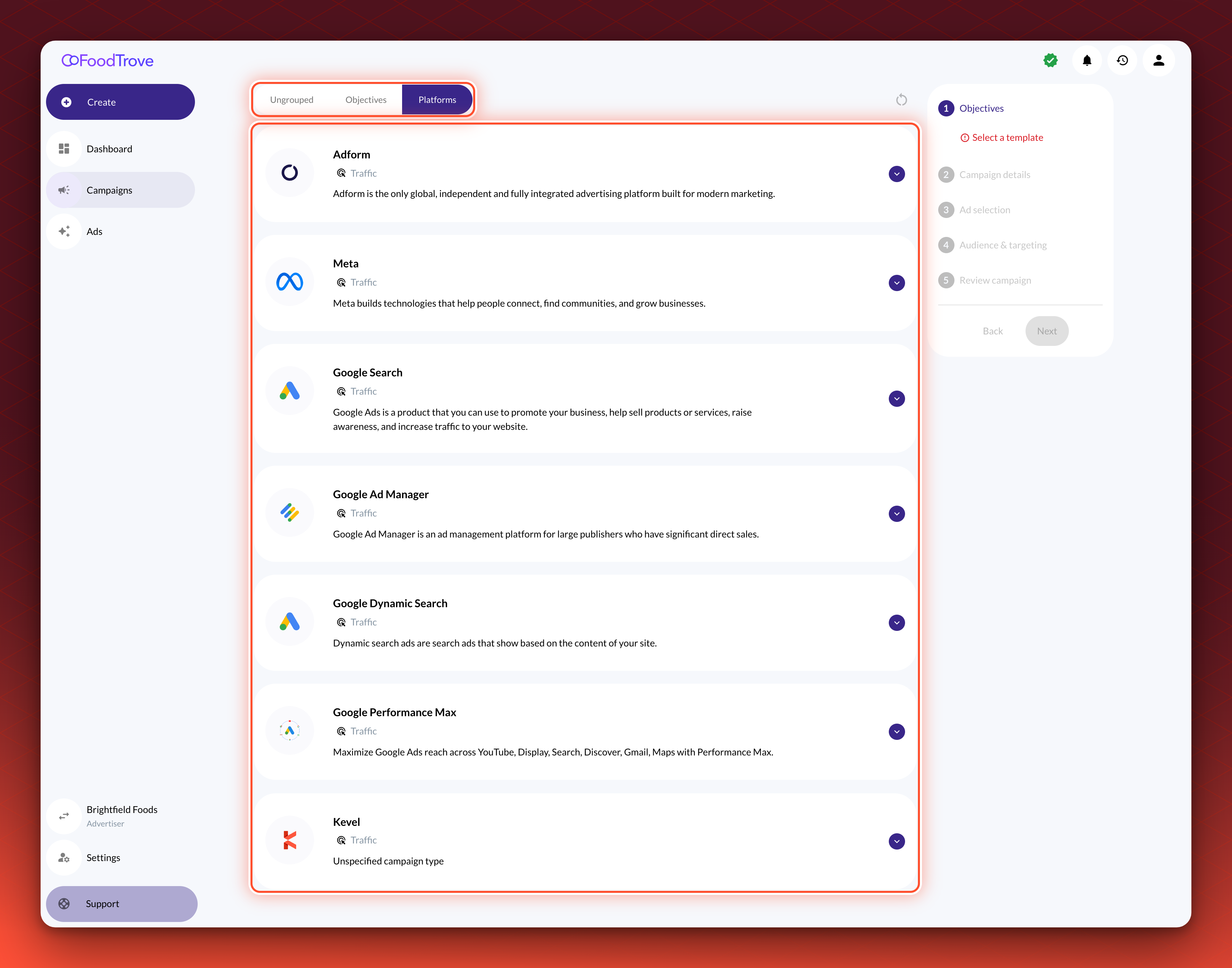
Console is fully integrated with Meta, supporting campaign creation across Facebook and Instagram without leaving the Console workflow. Publishers can offer advertisers access to single image, carousel, and video ad formats across all major campaign objectives: sales, leads, engagement, traffic, awareness, and app promotion.
Your Console instance can be configured to surface all, some, or none of these campaign types, with the option to restrict or grant access at the Business manager or advertiser level.
Console also handles Meta account configuration at two levels. Facebook Page and Instagram account handles can be assigned per advertiser — giving each advertiser their own branded presence to run campaigns under — or set at the media owner level to apply a single handle across all campaigns. This gives publishers precise control over how campaigns are attributed and presented on Meta.
Targeting
Console supports the following targeting options for Meta campaigns, configurable by the campaign creator:
- Standard demographic segments
- Geographic targeting
- Custom audience segment targeting — any segment created and pushed to Meta's Ad Manager can be surfaced for advertiser use directly within Console
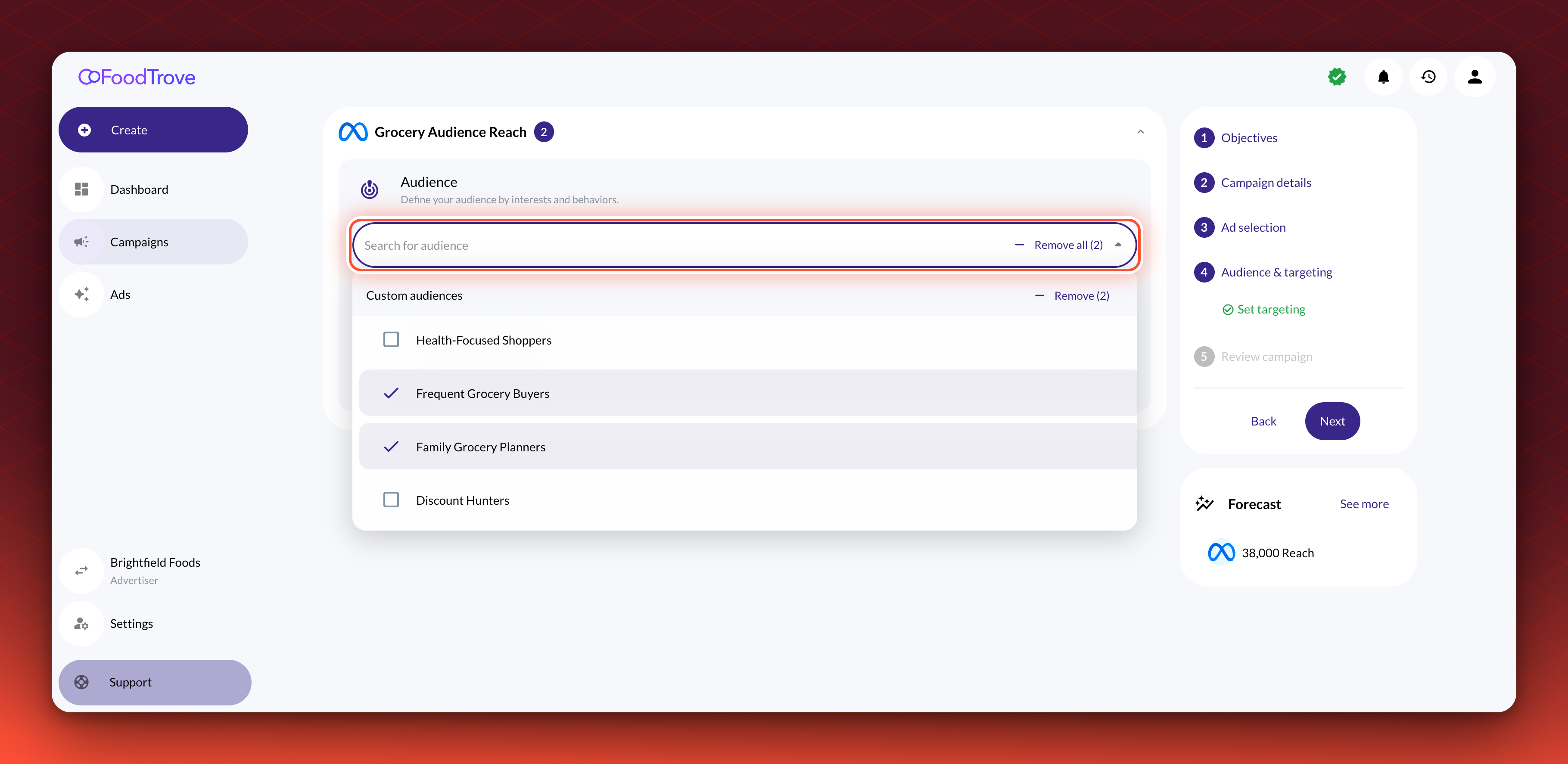
Any additional Meta targeting can be applied as a background setting within an Ad Product, keeping the campaign creator experience as simple or as detailed as you need it to be.
Console also gives media owners control over which Meta interest-based segments are made available to advertisers, rather than exposing Meta's full segment library by default. This means advertisers see a curated, relevant set of targeting options — and media owners retain oversight of how their inventory is targeted.
Beyond Meta's native audiences, Console enables media owners to bring their own first-party data into the campaign creation flow. First-party audiences can be activated directly, or through Kevel Audience if the media owner is using Kevel's audience management tooling. In practice, this means advertisers can combine the media owner's first-party segments with Meta's native interest-based audiences in a single campaign — giving campaigns the precision of owned data alongside the scale of Meta's targeting ecosystem.
A note on Meta's Special Ad Category standards
When running campaigns on Meta for certain sensitive categories — including credit, employment, housing, and social issues — Meta's Special Ad Category standards apply. These restrictions affect available targeting options and are enforced at the Meta platform level.
Console handles Special Ad Category compliance in two ways. It can be configured as a step within the campaign creation flow, prompting the campaign creator to declare the appropriate category at setup. Alternatively, it can be set at the media owner level, applying a category designation across all campaigns by default. Which approach makes sense depends on how consistently your advertiser base operates within a given category.
Meta beneficiary and payer for EU audiences
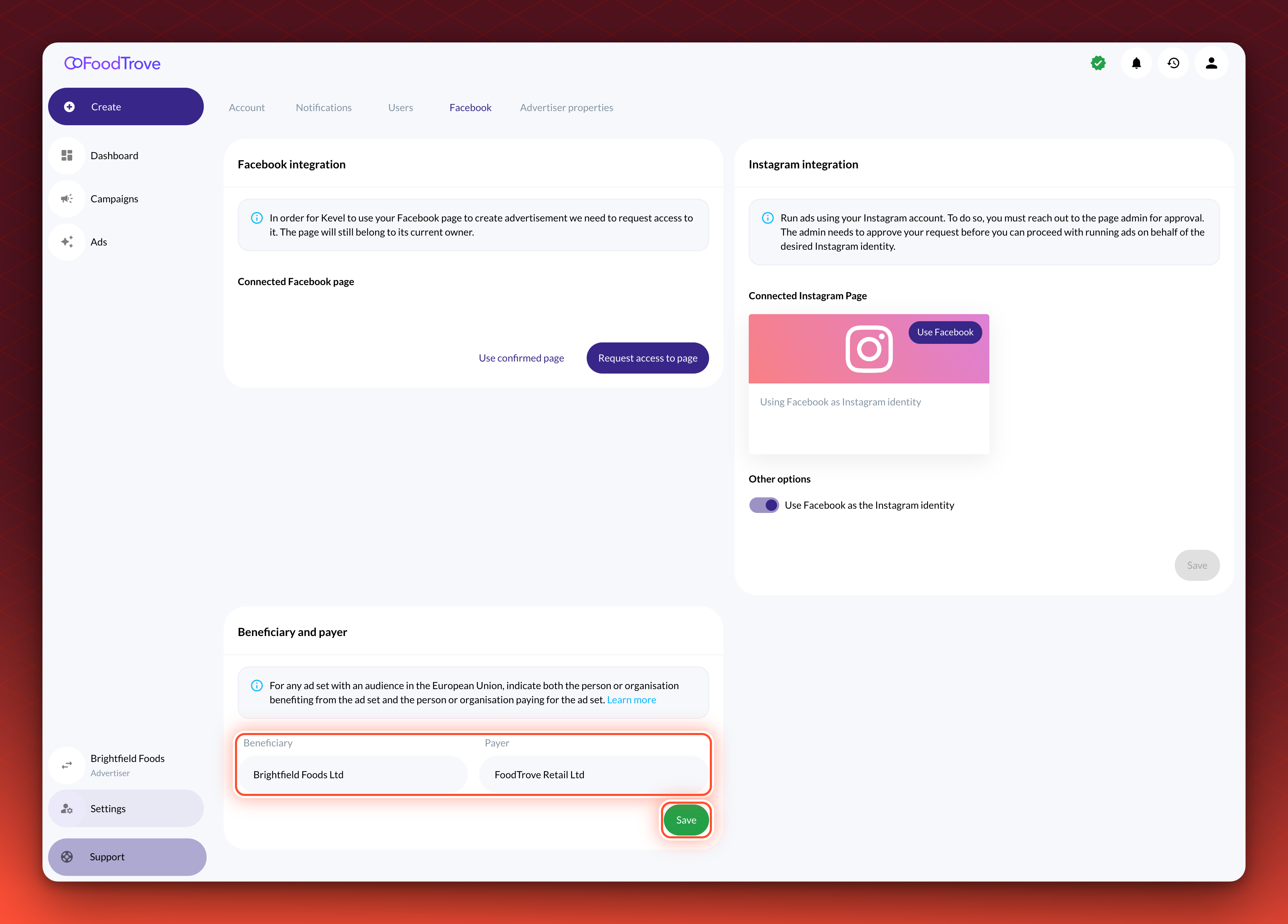
For any ad set with an audience in the European Union, Meta asks for the person or organization that benefits from the ad set (the beneficiary) and the one that pays for it (the payer). Read Meta's guidance on these fields for what to enter. When Console creates or updates a campaign on Meta, it sends both values.
Console picks them in this order:
- The beneficiary and payer saved on the advertiser, when both are set.
- Otherwise, the beneficiary and payer saved on the business manager, when the business manager is set to use them for all of its advertisers.
- Otherwise, the advertiser's name as the beneficiary and the business manager's name as the payer.
An administrator sets them on the advertiser. Open Manage advertiser, select the Facebook tab, and enter the Beneficiary and Payer under Beneficiary and payer, then select Save. To use one pair for every advertiser, open the business manager's own Facebook tab and turn on the option to use its beneficiary and payer for all advertisers.
Google Ads
Console integrates with Google's advertising ecosystem, supporting a range of campaign types suited to both search intent and broad reach objectives.
Campaign Types
Console supports the following Google campaign Types:
- Search (Dynamic Search and Responsive Search)
- Performance Max
Objectives
Console supports the following campaign objectives for Google campaigns: sales, leads, traffic, awareness, and engagement.
Targeting
Console supports the following targeting types for Google campaigns:
- Geographic and location targeting
- Demographics
- Keywords (Search campaigns)
Google Ad Manager
Console integrates with GAM (Google Ad Manager), giving media owners the ability to offer self-serve campaign management on top of their existing GAM infrastructure. Access is established at the network level — once Console is connected to a GAM network, it can manage campaigns across the customers, orders, line items, and creatives that sit within that network.
Ad formats
Console supports the following ad formats for GAM campaigns:
- HTML ads
- Image ads
Targeting
Console supports audience targeting for GAM campaigns via key-value pairs, enabling media owners to control how audiences are defined and matched against inventory within their GAM network.
A note on GAM as a self-serve stepping stone
For media owners already running GAM as their primary ad server, Console makes it possible to layer a self-serve advertiser experience on top of their existing setup — without requiring an ad server migration. This means publishers can introduce self-serve capabilities to their advertisers while continuing to operate GAM as they do today.
Adform – DSP and onsite
Console's Adform integration gives advertisers and ad operations teams access to both open web inventory via Adform's DSP (Demand-Side Platform) and onsite placements served via Adform's ad server — including sponsored product ads.
Ad formats
Console supports the following ad formats within the Adform integration:
- Native ads
- Custom display ads — media owners can incorporate their own branding into HTML templates for programmatic advertising. Single image and carousel formats are available.
- HTML ads — advertisers can upload their own HTML creatives directly.
- Third-party script ads — ads can be created and served via third-party scripts.
Targeting
Console supports the following targeting types for Adform campaigns:
- Location targeting
- Demographics
- Audience groups
Beyond standard targeting, Console enables media owners to monetize their first-party audience data through the Adform integration. Media owners can push audiences to Adform as a destination either directly from their own DMP (Data Management Platform), or via Kevel Audience if they are using Kevel's audience management tooling.
A note on Kevel Audience and Console working together
Kevel Audience and Console serve complementary roles in a media owner's first-party data strategy. Kevel Audience handles the data layer — collecting audience data from the media owner's owned properties and pushing those audiences to ad destinations like Adform and Meta. Console handles the execution layer — giving the media owner control over which audiences are made available to which advertisers during campaign creation, and enabling advertisers to activate those audiences directly within their campaign setup.
Together, this means a media owner can build, own, and monetize their audience data end-to-end: collecting it through Kevel Audience, syncing it to their ad destinations, and surfacing it as a controlled, curated targeting option for advertisers across both onsite and open web campaigns.
Reporting
Console acts as a single reporting surface for campaigns running across all integrated channels, eliminating the need to reconcile data from multiple platform dashboards.
Campaign data
Console surfaces the following campaign-level data points:
- Start and end dates
- Budget and progression
- Channel
- Campaign count
- Created by
- Date last updated
Performance metrics
Console supports the following performance metrics:
- Impressions and unique impressions
- Clicks
- CPC (Cost Per Click) and eCPC (Effective Cost Per Click)
- CPM (Cost Per Mille) and eCPM (Effective Cost Per Mille)
- eCost and spend
- View impressions
- CPL (Cost Per Lead)
- CTR (Click-Through Rate)
- Viewability
- Leads
- Conversions
- CVR (Conversion Rate)
- ROAS (Return on Ad Spend)
A note on metric availability
Not all metrics are available on every platform. The metrics surfaced in Console for a given campaign reflect what the underlying platform supports and exposes via its reporting API.
With a single campaign creation flow spanning across advertising for Social channels, Onsite, and Open web, Console gives publishers the infrastructure to offer advertisers meaningful reach without the operational overhead of managing each platform separately.
Updated 7 days ago