
Editing campaigns and drafts in Console
Campaigns and drafts are fully editable in Console across all connected platforms. Advertisers can update campaign settings, adjust targeting and budgeting, and manage products and bids within campaigns — without recreating them or making changes outside the platform.
What advertisers can edit
Depending on the configurations of a specific campaign type, advertisers can:
- Update campaign settings, targeting, and budget values
- Save changes to drafts without publishing them
- Modify product-based campaigns, including adding, removing, and updating individual products
- Submit multiple product changes in a single edit action
Edited campaigns reflect updated values immediately across all Console views, and campaign delivery, targeting, and budgeting behave consistently with campaigns created natively in Console. The exception is a change that needs review, described below.
Edits that need reviewOn placements where your media owner requires review, an edit that touches a reviewed setting, such as adding products or search terms, is submitted for approval instead of applying when it is saved. The campaign keeps running on its current settings, and the change applies when a reviewer approves it. The last step of the edit flow tells the advertiser which changes need approval. See Submit a campaign for review and How campaign review works.
How campaign editing works
-
The advertiser navigates to the campaign or draft they want to edit in Console.
-
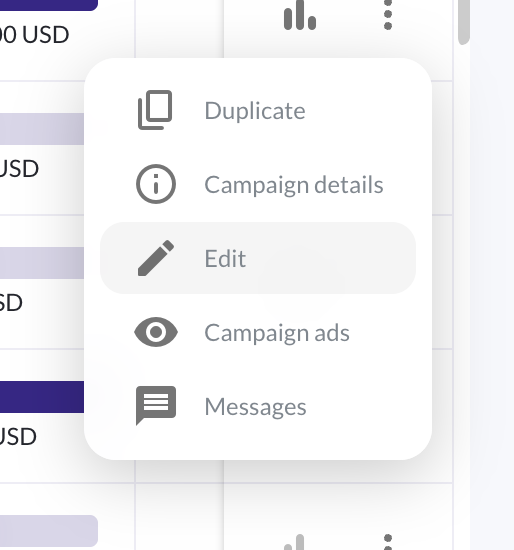
They open the campaign in edit mode.
-
They make their changes. For product-based campaigns, they can add or remove products and update product-level values such as bids directly within the edit flow.
-
They save their changes. Console applies all updates in a single action — each product change does not need to be saved individually.
Product-based campaign editing
For Kevel Onsite campaigns that use product selections — such as sponsored products and product listing ads — advertisers can manage their product set within an existing campaign without starting over. They can respond to performance changes, refresh their product mix, or update bids as their business needs shift.
Product data is retrieved and displayed accurately in the edit flow, so the values advertisers see reflect the current state of their campaign. Updates are applied reliably and remain consistent across Console views after saving.
A note on product selection type
Campaigns originally created with a single selected product for a product listing ad cannot be converted to a dynamic product set campaign. The edit flow reflects the product selection type chosen at campaign creation — advertisers can update the products and bids within that selection, but the selection type itself cannot be changed.
A note on bid updates
Bid values are set at the product level. When editing a product-based campaign, advertisers can update bids for individual products as part of a single edit action. All changes are submitted together when the campaign is saved.
Error handling
If an error occurs during editing, Console handles it without leaving the campaign in an invalid state. Advertisers can review the issue and resubmit their changes. No partial updates are applied if a save action fails.
Updated 12 days ago