
Flat rate reporting
Flat rate reporting
Flat rate flights charge a fixed price for the entire flight period, regardless of performance. This pricing model is typically used for premium inventory and requires prior negotiation with the advertiser.
How the accrual method is determined
- Per-request override. When calling the reporting API, you can explicitly specify the accrual method in the request.
- Network default. If you don't specify one in the report request, Kevel uses the default accrual method configured for your network. Out of the box, this default is set to
norevenueaccrual(revenue = 0). To change your network's default, contact your CSM.
Note that the Ad Program Insights will use the network default behavior.
How Flat Rate is recorded
- All revenue for a flat rate flight is tied to the flight's start date. If your flight starts December 1, 100% of its revenue appears on December 1, regardless of how long the flight runs.
- When grouped by hour, all revenue appears in the first time bucket of the start date. If a Flight is scheduled to start at 09:37 AM, the total Flat Rate revenue will be fully allocated to the 09:00 AM to 10:00 AM time bucket on that start date.
- We always use the most recent version of the flight. If you edit a flight's price or start date, your historical reports will reflect the updated values.
Reporting by dimension
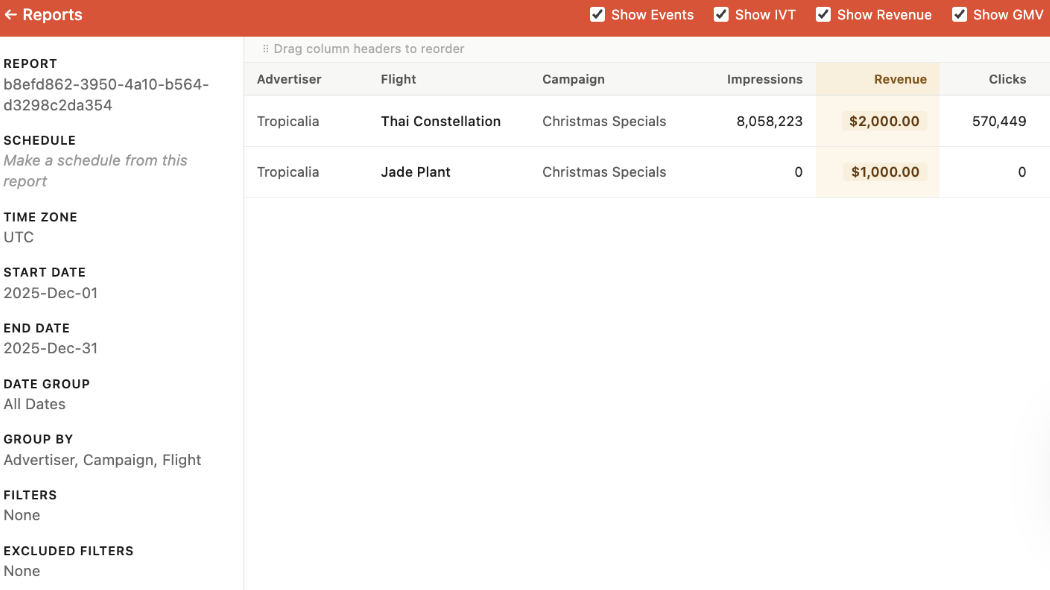
- No group-bys, or grouped by flight / campaign / advertiser. Revenue appears normally, summed at each level.
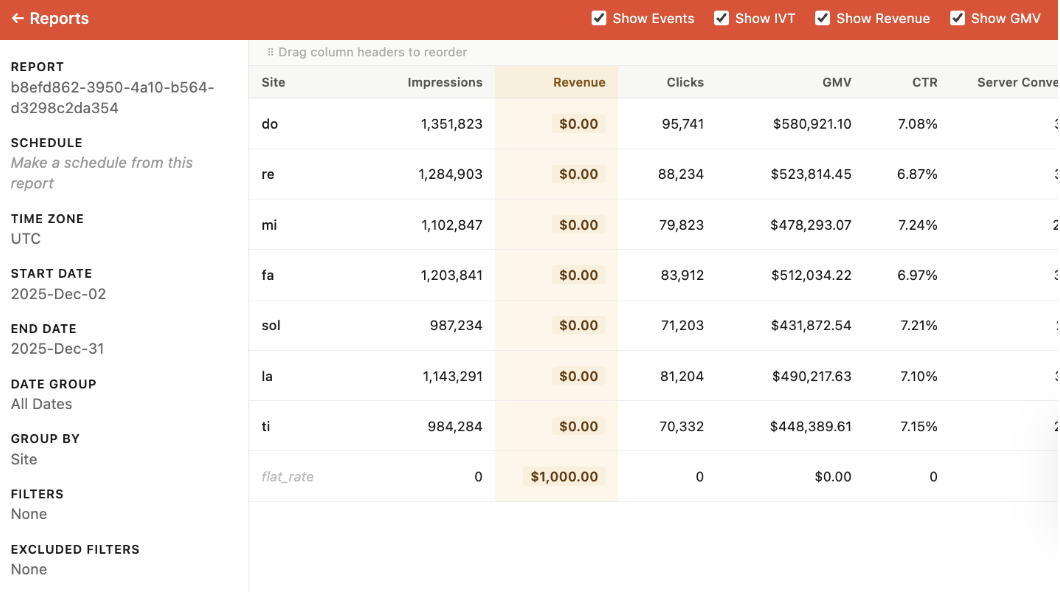
- Grouped by an unrelated dimension (e.g. site, ad type). Revenue appears in a dedicated
flat_raterow; other rows show $0.
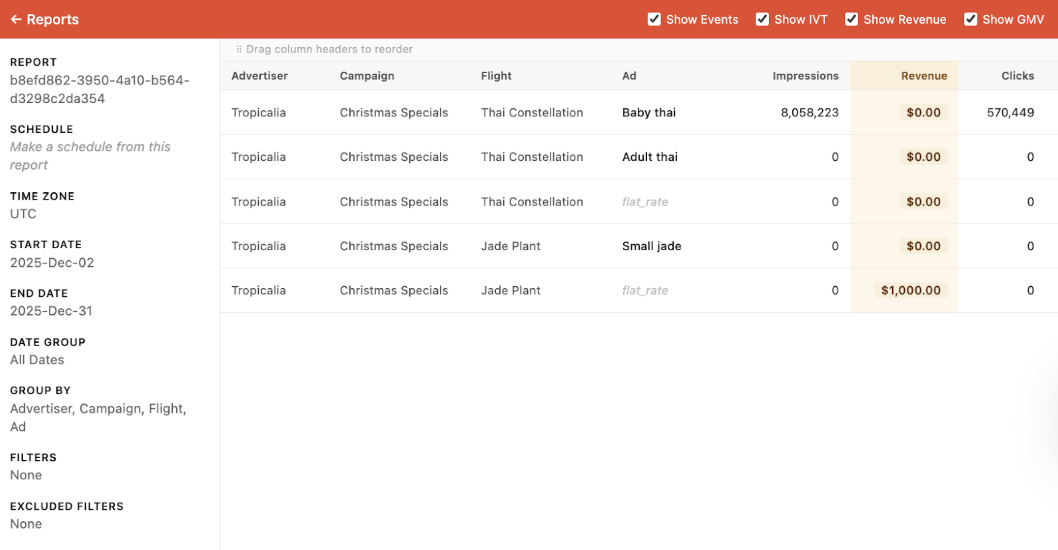
- Mixed group-bys including flight or campaign. Revenue recorded at the deepest applicable level; a
flat_rateplaceholder appears for levels that can't be broken down further.
###
Updated 3 months ago