
Campaign-level product performance reporting
Self-service reporting on products promoted within sponsored product and native product ad campaigns
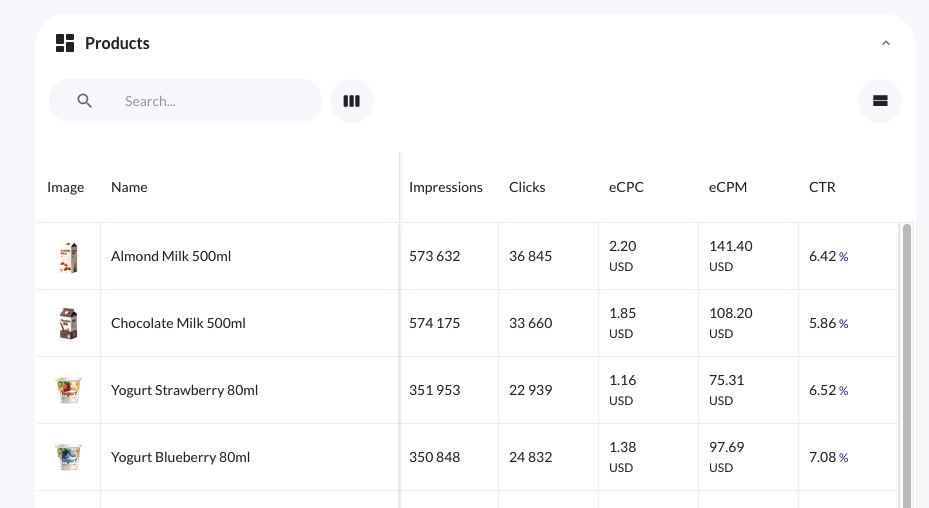
For product ad and native product ad type campaigns created in Console, the Product stats tab within the individual campaign dashboard gives campaign managers a detailed view of how specific promoted products are performing within a campaign.
With controls for date range, column visibility, and sorting, you can cut through the noise and focus on the product-level data that actually drives decisions.
What's available in product stats
Product stats combines performance metrics with key product details — including product image and name — so you always have the context you need alongside the numbers. Rather than cross-referencing separate views, everything relevant to a product's performance is surfaced in one place.
The tab is only shown when product stats data is available for the campaign. If no product stats exist, the tab is not displayed.
Date range
By default, product stats reflect the full lifetime of the campaign. You can also select a custom date range within the campaign's start and end dates to analyze performance over a specific period.
This is useful when you want to isolate performance during a promotion, a budget change, or any other campaign event that may have affected results.
A note on date range scope
The date range selector is bounded by the campaign's own start and end dates. You cannot select dates outside the campaign duration.
Column management
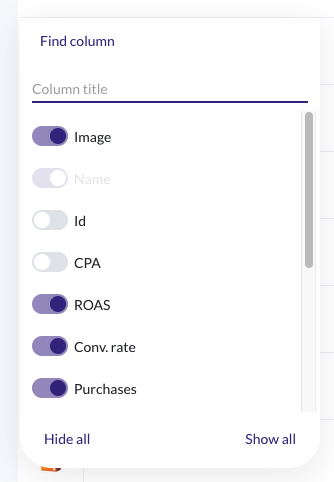
You can choose which columns are visible in the product stats table. Hiding columns that aren't relevant to your current analysis keeps the view focused and reduces cognitive overhead when working with campaigns that have a large number of tracked metrics.
Console will remember your column selection and display these columns going forward.
By default, the following columns are visible:
- eCost
- Purchases
- Orders
- Sales
- Revenue
- CPA
- ROAS
- ConversionRate
- Clicks
- eCPC
And the following columns are hidden by default:
- Impressions
- eCPM
- CTR
All Console metrics can be enabled or disabled within your Console Business Manager and can be renamed as needed.
Sorting
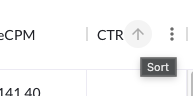
All visible columns can be sorted in ascending or descending order. Text-based columns (such as product name or category) sort alphabetically; numeric columns (such as impressions, clicks, or ROAS (Return on Ad Spend)) sort numerically.
Sorting is useful for quickly identifying your top- and lowest-performing products without needing to export or manipulate data externall
Updated 7 months ago