
Optional location targeting
By default, every campaign in Console requires at least one location targeting rule — a zip code, a named location, or a hyperlocation. This makes sense for most campaign types, where geographic relevance is core to the campaign's value. But not every campaign type works that way. Sponsored listings, onsite promotions, and other non-geo-driven formats often need to reach all users regardless of where they are, and forcing a location rule into those campaigns adds friction without adding value.
Optional location targeting removes that requirement. When enabled for your account, campaigns can be created and validated without any location targeting rules, effectively targeting all users worldwide.
Channel availability
Optional location targeting is currently available for Kevel Onsite campaigns only.
How to get it enabled
Optional location targeting is enabled per campaign type by your Kevel Customer Success Manager (CSM). If you have a campaign type that does not require location targeting, reach out to your CSM to have this enabled for the relevant campaign type on your account.
Once enabled, the behavior described below applies automatically — no changes to your integration are required beyond omitting location rules from your targeting payload.
How it works
When optional location targeting is active for a given campaign type, the platform no longer requires location data to be present in order for a campaign to pass validation. Specifically, the following are no longer enforced:
- A targeting group must contain at least one targeting rule
- Location targeting must include zip codes, named locations, or hyperlocations
All other validations continue to apply — budget, inventory assignments, creative/banner requirements, and other campaign properties are enforced as normal.
Example of how it looks:
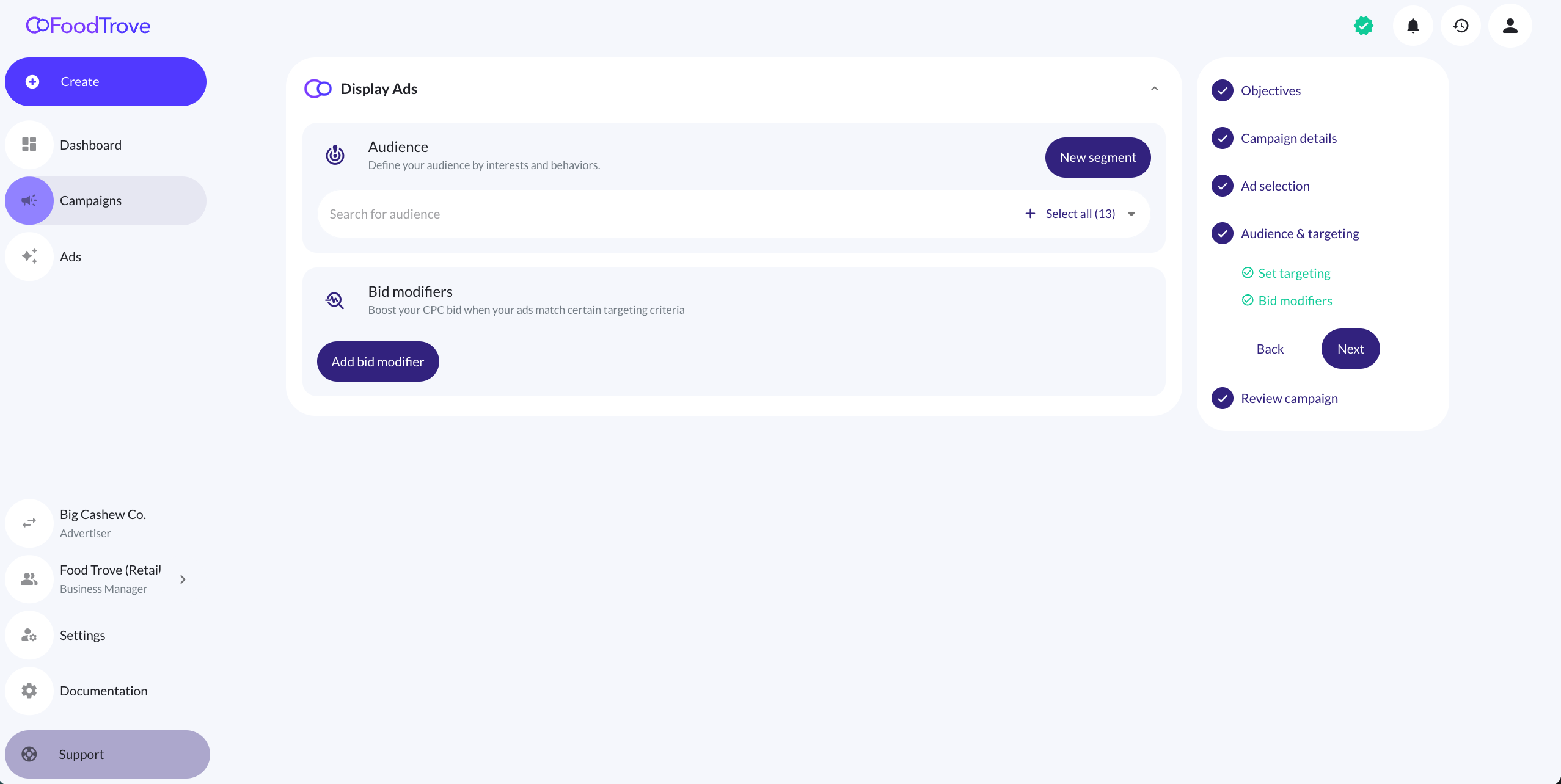
Notice how only Audience selection appears along side Bid Modifiers.
A technical note on targeting structure
Even with optional location targeting enabled, your campaign payload must still include at least one targeting object in theTargetingarray. What changes is that theTargetingRulesarray within that object can be empty. The structure is still required; the geo data inside it is not.
A valid payload with no location rules looks like this:
{
  "TemplateID": 489407,
  "LineItems": [
    {
      "Name": "Branded Shelf",
      "Inventories": [...],
      "Targeting": [
        {
          "ID": "1",
          "Name": "New Audience",
          "TargetingRules": []
        }
      ]
    }
  ]
}
The campaign will validate and serve to all users, with no geographic restriction applied.
Template requirement
Optional location targeting is evaluated against the campaign template associated with the campaign. Specifically, the feature is only active when the referenced template does not itself carry location or hyperlocation targeting data. If your template includes geo targeting, the campaign will still be subject to standard location validation regardless of the toggle.
If you are unsure whether your template is configured correctly for this feature, confirm with your CSM before going live.
Updated 7 months ago