
Campaign review in Console
For media owners: how Console holds new campaigns and changes for approval, how to set it up, and how reviewers work through requests.
Campaign review covers how Console holds an advertiser's new campaign, or a change to a live one, until a reviewer on your team approves it. This section is for your team. What advertisers see when they book and submit a campaign is part of campaign creation, so it sits in Creating Console Campaigns.
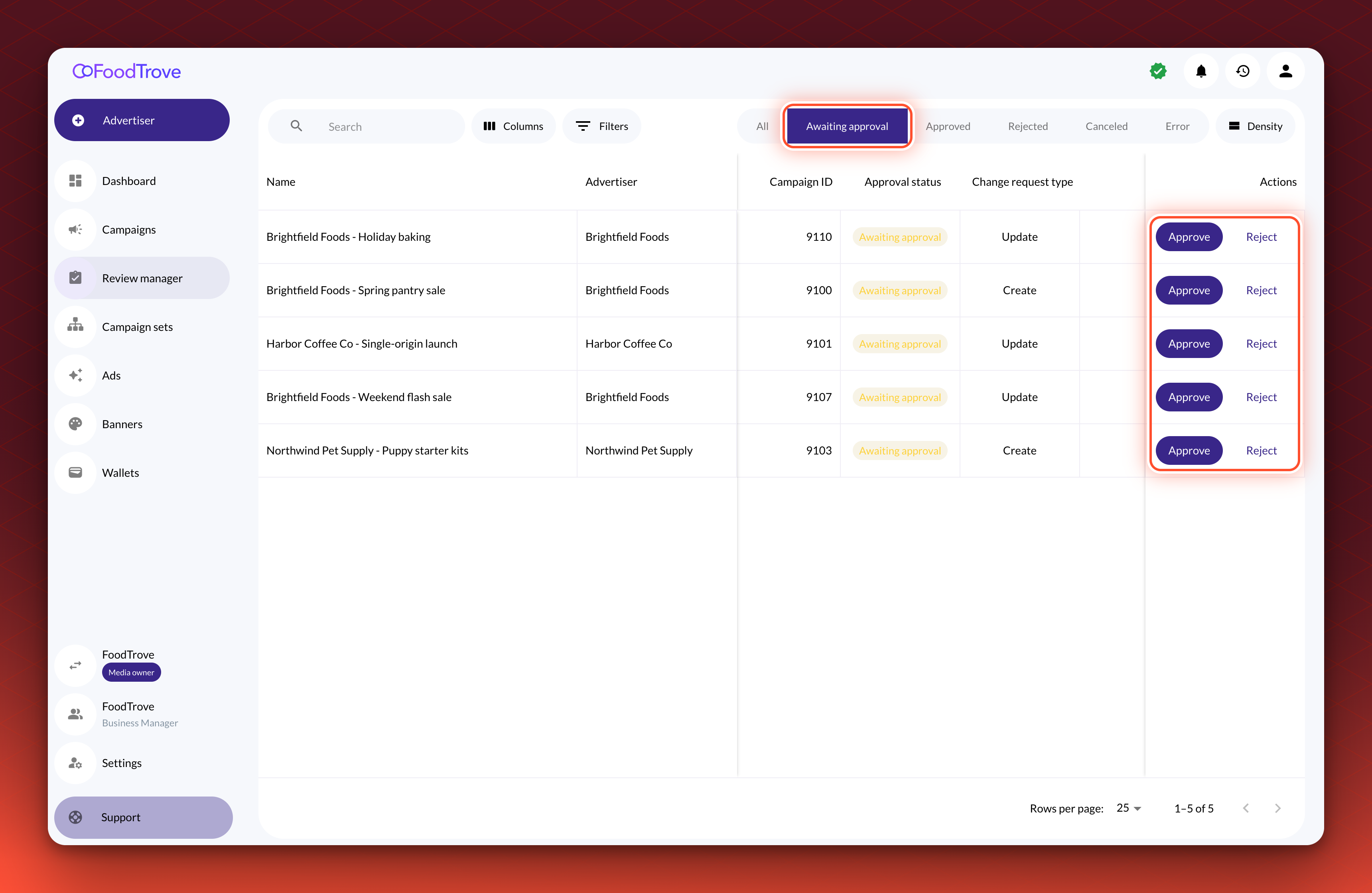
Reviewers work from the Review manager, which lists every request waiting for a decision.
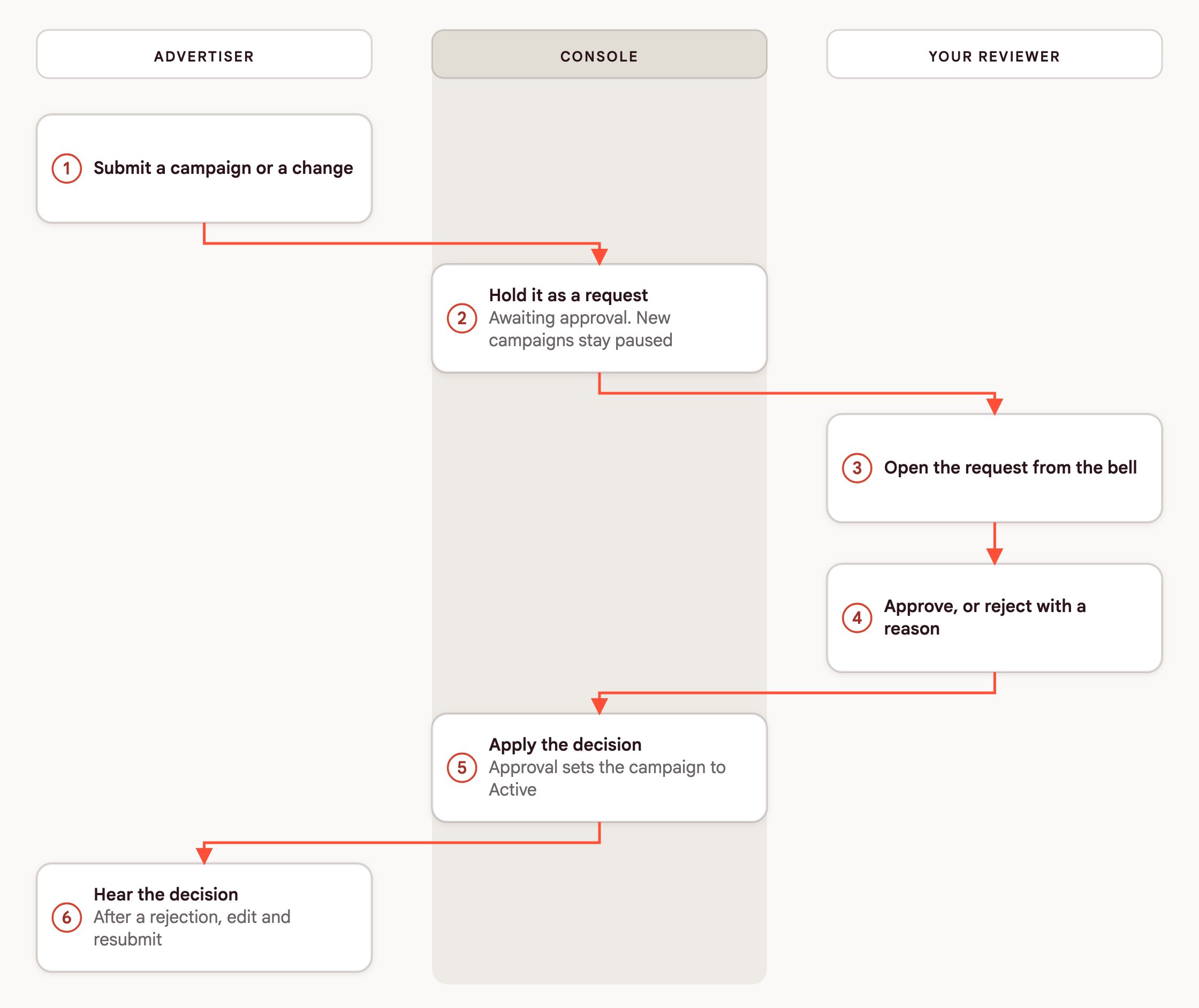
Each request follows the same path, from the advertiser's submission to the reviewer's decision.
Which page applies to you
| You are | You want to | Go to |
|---|---|---|
| A media owner admin or ad ops lead | Understand what triggers a review, the statuses, and what happens to the campaign | How campaign review works |
| A media owner admin planning a rollout | Choose the defaults and what to customize with Kevel: which placements and which changes need approval, and who reviews | Set up campaign review |
| A media owner reviewer | Find requests, read them, and approve or reject them, one at a time or in bulk | Review campaigns in the Review manager |
| An advertiser booking a campaign | Submit a campaign, follow its status, and fix it after a rejection | Submit a campaign for review |
Where to start
Start with How campaign review works. It is the one page that describes the whole cycle, and the others assume it. Then follow the job in front of you:
- Plan the rollout. Set up campaign review covers the choices you make with Kevel, and Wallets in Console covers the spending limits that many reviewed placements require.
- Review requests. Review campaigns in the Review manager covers finding, reading, approving and rejecting requests, one at a time or up to 50 at once.
- Tell people when something happens. In-app notifications in Console and Emails in Console cover how reviewers and advertisers hear about requests and decisions.
- Brief your advertisers. Submit a campaign for review shows what they see when they book, and Editing campaigns and drafts in Console explains which edits wait.
Kevel turns review on for your business manager and for each placement that needs it, so contact your Kevel representative before you plan a rollout to advertisers.
Updated 18 days ago
What’s Next
Start with how review works, then set it up and review