
Emails in Console
For media owner admins: the emails Console sends when people join and when campaigns are reviewed, who receives each one, and what you can brand.
Console sends emails when people join and when campaigns are reviewed. This page lists each email, who receives it, and which parts you can brand for your business manager.
How it works
The invitation and the password reset go to the person concerned, so they use no mailing list, and they are always on.
The three campaign review emails are tied to a setup for your business manager and its advertisers. The setup holds the email template (its design and wording), the subject name, the mailing list, and whether the email is on. If there is no setup, Console does not send the email.
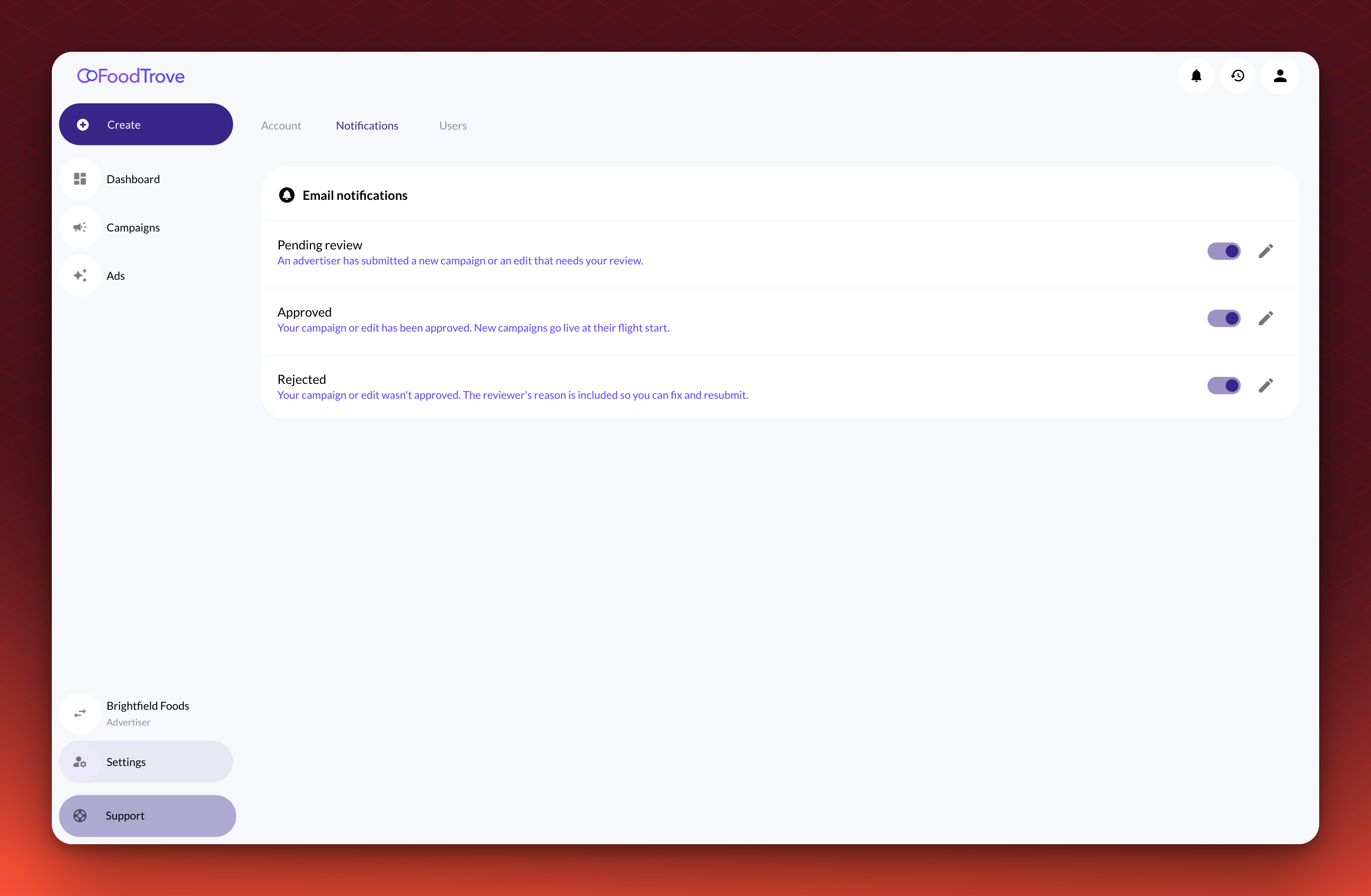
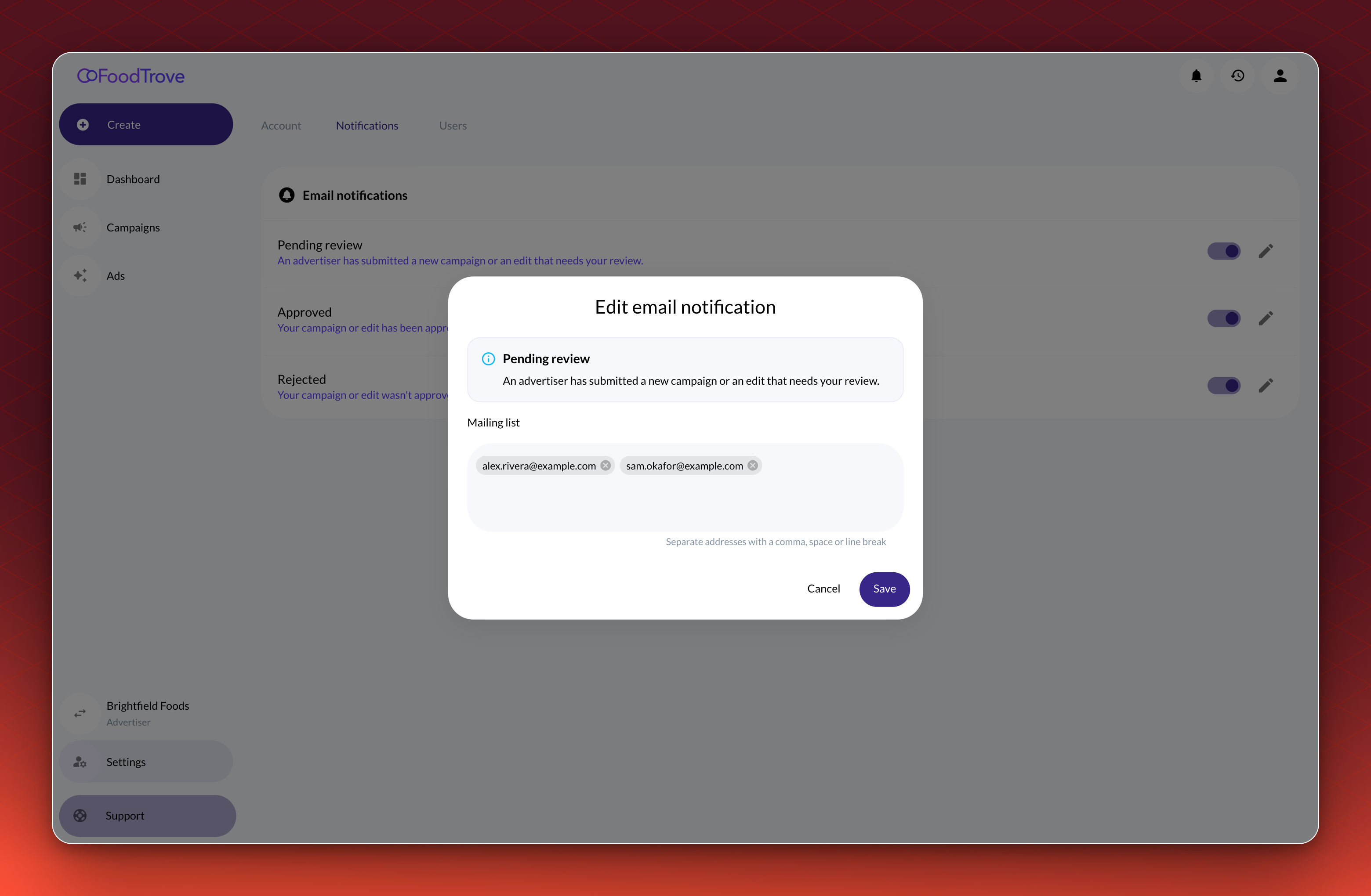
Your admins choose who receives each review email and can switch it on or off. In Settings, open Notifications. Use the switch at the end of a row to turn an email on or off, and select the pencil next to it to change the mailing list.
The emails
Kevel sets up the review emails for your business manager. Ask your Kevel contact to turn them on.
Joining
| What it does | Who receives it | |
|---|---|---|
| Invitation | Asks a new user to activate their account. It is sent when an admin invites a user or selects Resend invite. By default it carries the Kevel Console look, and it can carry your brand. | The invited person |
| Password reset | Sends a link, valid for one hour, to set a new password. It is sent when a user selects Forgot password?, or when Kevel Support sends one to fix a broken invitation. | That user |
Campaign reviews
| What it does | Who receives it | |
|---|---|---|
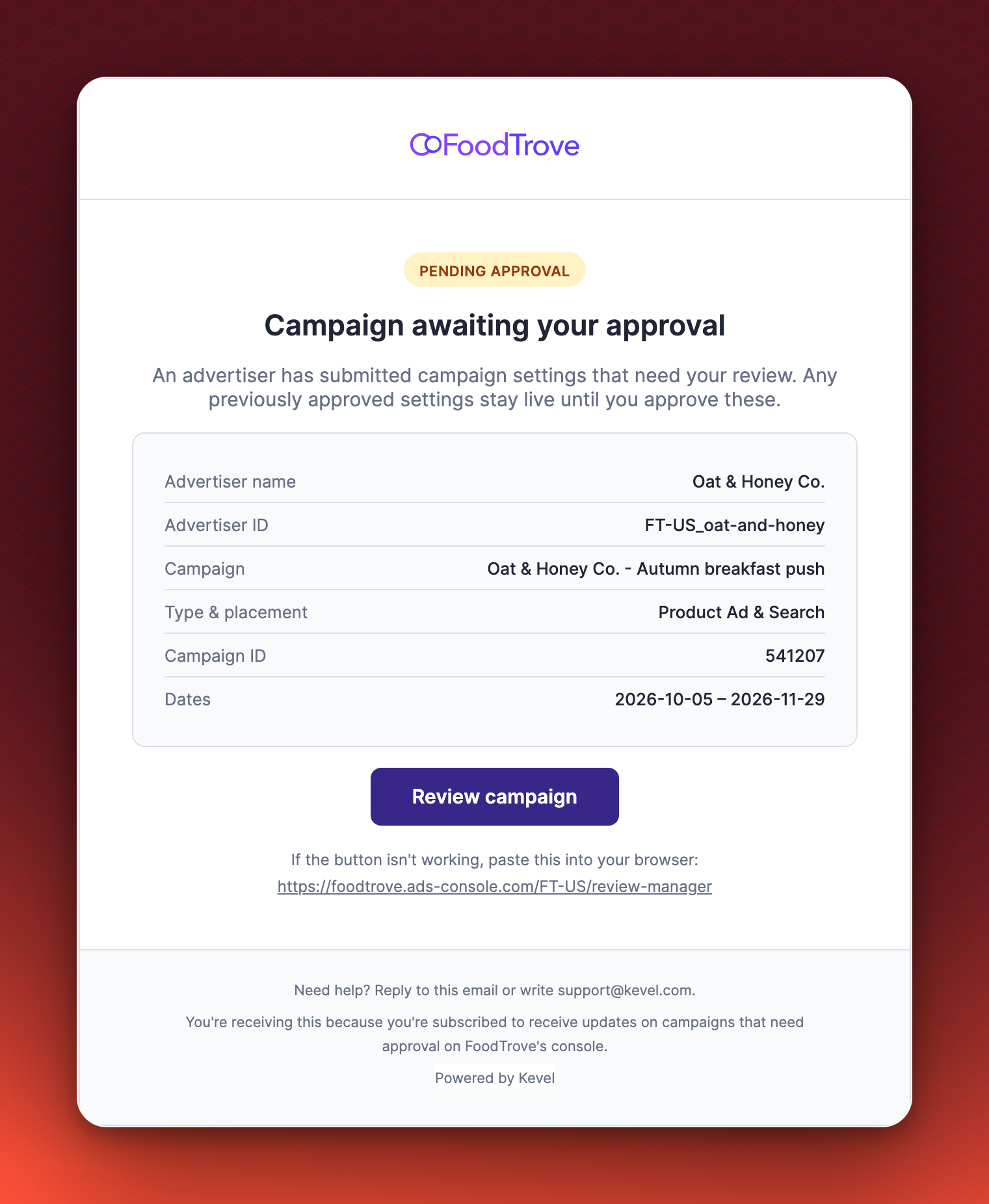
| Pending review | An advertiser has submitted a campaign or a gated edit. It links to the Review manager. | Your reviewers |
| Approved | A reviewer approved the request. New campaigns then go live on their start date. | The advertiser's team |
| Rejected | A reviewer rejected the request. The email gives the reason and a link to edit. | The advertiser's team |
What you can brand
| Element | What you can change | Who changes it |
|---|---|---|
| Template | The logo, colors, layout and wording. Each email has its own template for your business manager. | Kevel |
| Subject | The subject name, which Console follows with the advertiser, campaign or ID. Invitations take a full custom subject. | Kevel |
| Sender name and address | For the review emails, the name and address they come from, set for your business manager or for one advertiser. | Kevel |
| Mailing list and on or off | Who receives each review email, and whether it is on, from the Notifications tab. | Your admins |
Two boundaries apply:
- Invitations come from [email protected] for every media owner. The template and subject can be yours, and the sender cannot.
- Password reset emails use the default template, subject and sender. They come from [email protected] with the subject "Reset your Nexta password".
Related
Updated 26 days ago